
I opened a ticket back in August(!) about this. In PD11 there was a checkbox in the VM configuration that said "use OSX full screen". When using dual monitor setup, the best way to use it is to keep this check box OFF and let Parallels handle full screen. That way I get to run Win7 on the left monitor and Mac OS on the right one, both in perfect full screen with no bars or menus in the way. Simply roll the mouse left and I'm in Windows, roll it right and Im on the Mac.
Since PD12 where the check box is gone, when you switch any VM to full screen, the other monitors go blank. Dirty hack is to enable "Displays have separate spaces" in Mac Preferences / Mission Control but that too has severe drawbacks. Now can't drag and drop images from windows to mac, can't overlap Mac applications over the Windows VM, there's a 1 second delay when clicking in the Windows VM before it takes input and the OS X DOCK keeps disappearing when you accidentally roll the mouse all the way to the bottom on the 2nd monitor. Also the VM menu bar is greyed out or gone.
All we multi-monitor people really need (I saw several other inquiries and posts about this) is that one check box back. NO NOT USE OSX FULL SCREEN!
I want a simple one-space dual monitor desktop where one of the monitors is a full screen VM. Just like it was in all previous PD versions.
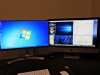
Since PD12 where the check box is gone, when you switch any VM to full screen, the other monitors go blank. Dirty hack is to enable "Displays have separate spaces" in Mac Preferences / Mission Control but that too has severe drawbacks. Now can't drag and drop images from windows to mac, can't overlap Mac applications over the Windows VM, there's a 1 second delay when clicking in the Windows VM before it takes input and the OS X DOCK keeps disappearing when you accidentally roll the mouse all the way to the bottom on the 2nd monitor. Also the VM menu bar is greyed out or gone.
All we multi-monitor people really need (I saw several other inquiries and posts about this) is that one check box back. NO NOT USE OSX FULL SCREEN!
I want a simple one-space dual monitor desktop where one of the monitors is a full screen VM. Just like it was in all previous PD versions.

