Mike Retondo
Bit poster
Can't expand hard disk size. I get an error message "Unable to edit the hard disk properties because it ha one or more snapshots". I have NO snapshots. I'm using Parallels 11.1.2 on an iMac i7 16GB Ram.

Follow along with the video below to see how to install our site as a web app on your home screen.
Note: This feature may not be available in some browsers.
Hello WorthR, please check this article and keep us posted.Ok, almost there. When I go to administrative tools, I see that there is an 18gb area on the disk that is unallocated, but the problem is, there is a recovery partition between the active Cdrive partition and the unallocated space. How do I move the recovery partition out from between them?
 to use the space, and moved a few non-system folders from C to D, so I am good now. I wasn't comfortable deleting the recovery partition to make the unallocated space continuous with existing C drive. I think that is there as a result of Windows 10 install, and it may have thing I will need to solve future issues. With that there, there is no way to extend the C drive in Parallels, no matter how big the disk drive is. If deleting the Recovery partition is a valid approach, Parallels should offer it as an option to allow extension.
Hello, what is your Parallels Desktop, macOS versions and Guest OS versions?Hi all,, I am getting the same error posted by mike in this article. The link provided by dhruba is not granting me access to the solution. Any help would really appreciate.
Hi maria,Hello, what is your Parallels Desktop, macOS versions and Guest OS versions?
Thank a lot for your reply, please update your Parallels Desktop to the latest build 15.1.4 and let us know how does it work for you.Hi maria,
My Parallels Desktop Version is
Version 15.1.3 (47255)
Mac OS Catalina - version 10.15.4
Guest OS - Windows 10
Hi Maria,Thank a lot for your reply, please update your Parallels Desktop to the latest build 15.1.4 and let us know how does it work for you.
Could you please reproduce the issue, collect the tech report right after that and then reply us back with the report's ID.Hi Maria,
I have updated to version 15.1.4 now, but i am still getting the same error.
Could you please reproduce the issue, collect the tech report right after that and then reply us back with the report's ID.
Thank you for your reply.Hi Maria,
The technical report ID is 341413880.
Thank you for your reply.
Please make a backup copy of your VM and try the following:
In Mac OS X, go to Applications > Utilities and launch Terminal.
Paste the command below into Terminal as is (do not hit Enter yet):
prl_disk_tool merge --hdd
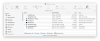
Find your virtual machine in Finder. Right click on the .pvm file of your virtual machine and choose Show Package Contents.
Drag your WindowsXXX.hdd file into Terminal and drop it inside the window. In Terminal you will see a similar outcome:
prl_disk_tool merge --hdd /Users/Username/Documents/Parallels/Windows\ 7.pvm/Windows\ 7-0.hdd
Please note there should be a space between --hdd and /Users/Username... Press Enter key to start merging Snapshots.
