Install the app
How to install the app on iOS
Follow along with the video below to see how to install our site as a web app on your home screen.
Note: This feature may not be available in some browsers.
You are using an out of date browser. It may not display this or other websites correctly.
You should upgrade or use an alternative browser.
You should upgrade or use an alternative browser.
CPU used more than 100%
- Thread starter LukasN
- Start date

Maria@Parallels
Problem solver
Hi, please try this KB and check.Hello, my Mac is using more than 80% (sometimes 150%++) of CPU on Windows under Parallels. I guess it is not normal..tried to reinstall parallels tools as per advice on the form, got rid of the windows sharing but still at 50's...any help, thank you.
Maria@Parallels
Problem solver
And could you please provide us with the screenshot of the Windows Task Manager when Activity Monitor shows more then 100% CPU of Parallels process.thans for your suggestion, but it really does not help. Any OTHER suggestions? I am struggling to understand why in idle mode Windows on Parallels use 89-120% of the CPU.....

Hi @Robinh2, thanks for the suggestion. Superfetch is a service in Windows that's designed to speed up app launching by preloading certain apps based on your usage patterns. Superfetch service has been identified as a potential cause of these disk performance issues in Windows 8.X and Windows 10. However, we have some article to improve the performance without affecting CPU usage. You can follow the steps mentioned below:net.exe stop superfetch this is main command for cpu used 100% reduced
please try this command
Make sure the virtual machine is in a shut down state.
1.Go to configuration (Actions > Configure > Hardware > Advanced settings).
2. Add the following command to Boot flags field:
devices.hdd.fsync=3
Maria@Parallels
Problem solver
Hi @LukasN
- we got your response to this forum thread as a forum admin alert.
It looks like you responded to the forum notification by email instead of posting it back to the forum. To post messages to the forum thread, please do that on the forum directly.
Here is a copy of your message:
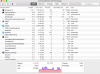
"Hi guys, this is my activity monitor. As. You can see still very high cpu usage on windows....Have no idea why.....the lowest I managed to get it to is 40% which is still in my opinion too high."
- we got your response to this forum thread as a forum admin alert.
It looks like you responded to the forum notification by email instead of posting it back to the forum. To post messages to the forum thread, please do that on the forum directly.
Here is a copy of your message:
"Hi guys, this is my activity monitor. As. You can see still very high cpu usage on windows....Have no idea why.....the lowest I managed to get it to is 40% which is still in my opinion too high."