
Install the app
How to install the app on iOS
Follow along with the video below to see how to install our site as a web app on your home screen.
Note: This feature may not be available in some browsers.
You are using an out of date browser. It may not display this or other websites correctly.
You should upgrade or use an alternative browser.
You should upgrade or use an alternative browser.
Installation wizard stuck in "collecting information"
- Thread starter EllaN
- Start date

P
Parallels User
Hi all,
I have the same exact problem. I'm installing Windows 10 on Parallels on the latest Mac Book Pro. I read the link but it doesn't offer a solution for the problem. Has any one found how to solve this problem?
Thanks
I have the same exact problem. I'm installing Windows 10 on Parallels on the latest Mac Book Pro. I read the link but it doesn't offer a solution for the problem. Has any one found how to solve this problem?
Thanks

Hemnath@Parallels
Parallels Support
For better results, please take a screenshot of the issue and reply with the same.Hi all,
I have the same exact problem. I'm installing Windows 10 on Parallels on the latest Mac Book Pro. I read the link but it doesn't offer a solution for the problem. Has any one found how to solve this problem?
Thanks
P
Parallels User
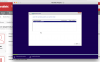
Hemnath@Parallels
Parallels Support
Thanks. Please mention the edition of Windows 10 and the Windows installation media that you have.
P
Parallels User
I have Windows 10 Home edition and I purchased it online meaning I have ISO disk image.
P
Parallels User
I have Windows 10 Home edition and I purchased it online meaning I have ISO disk image.Thanks. Please mention the edition of Windows 10 and the Windows installation media that you have.
Hemnath@Parallels
Parallels Support
Please stop the installation completely. Then, download a new Windows 10 disk image file from https://goo.gl/4PqKRX and follow http://kb.parallels.com/4729 to install Windows 10, using the disk image file which you downloaded. During the course of the installation, disable 'Express Installation' (VERY IMPORTANT). Later, you will get a screen with the option 'Customize settings before installation'. Select it and click on 'Continue'. In the virtual machine configuration window that appears: A.) Navigate to Hardware --> CPU & Memory and ensure that the number of processors is 2 (or 1 if total number of processors is < 4) and RAM is at least 2 GB (or 3 GB if total Mac RAM is 8 GB, or 4 GB if total Mac RAM is > 8 GB). (NOTE: If total Mac RAM is only 4 GB, then allocate 1.5 GB RAM for Windows.) B.) Navigate to Hardware --> Video (or Graphics) and ensure that video memory is 512 MB. Then, close the virtual machine configuration window and proceed with the installation. Let us know how it goes.
P
Parallels User
Thanks, I will try and keep you up to date.
P
Parallels User
It worked, thanks a lot!
Karthik@Parallels
Member
Sounds good! feel free to reach out to us for further assistance.It worked, thanks a lot!
I'm trying to install windows 10 and it's stuck in "collecting information". I have parallels desktop 12 for mac. I've tried adding parallels to my firewall list but that hasn't helped.
Not sure what I'm doing wrong.
I'm trying to install parallels on my new Mac via download. It's been in the collecting info mode for 2 hours. Any suggestions
Arun@Parallels
Parallels Support
Hi @CharleneS , please stop the installation. Please make sure you have "Express Installation" unchecked in the Parallels Wizard and start the installation once again and check.
I'm having the same problem - stuck on Collecting Information for hours. I do not see an "Express Installation" option anywhere in the process. I am trying to install from an ISO. Please help.Hi @CharleneS , please stop the installation. Please make sure you have "Express Installation" unchecked in the Parallels Wizard and start the installation once again and check.
Wow! I know this was from a number of years ago, but I just had to respond to your post. I happen to be reinstalling Parallels 15 with Windows 10 on my MAC because, it appears that Microsoft, in their infinite wisdom, updated my Windows 10, and shortly thereafter some of my installed software stopped working. Had the same issue years ago with Microsoft's updates, which caused me to lose the functionality in a $2K scanner. Anyway, I digress. I was having the same problem with the install "hanging up". What I didn't realize that it was that what appeared to be an image inside the install window, was actually a window inside a window. That you had to click on the version of Win 10, to get it to start installing. Otherwise it would show as "Collecting Information" for ever... waiting for that choice to be made. Once I figured out what it was, the rest was easy and quick.I'm having the same problem - stuck on Collecting Information for hours. I do not see an "Express Installation" option anywhere in the process. I am trying to install from an ISO. Please help.