Hi,
I am a windows guy moving to dual environment - so go easy one me. Seeing the windows on my new MBP is .... a bit unsettling. I have an i7 MBP with 16 GB ram running Sierra and the latest parallels. I have allocated 4 GB of ram and 2 cores. Here are my questions -
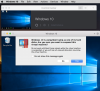
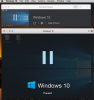
1) I want to run boot camp and Parallels VM together (obviously not at the same time) - switching from one to the other when my applications call for it. I also want to make updates, new files, program installs, i.e. any changes to be kept no matter what side I am working from. From this article - http://kb.parallels.com/en/112941 - it makes is sound like there are two ways to do this and I am afraid I have chose the wrong one based on the fact that I can pause it from the action menu - but don't think I should be able to? At the bottom of the article it says this :
Note: Windows running from Boot Camp has the following limitations:
Again - I can pause it in the way I have installed the VM - Do I have this installed incorrectly?
2) In the settings I have - share bluetooth devices in windows "unchecked" is that the right way to do this?
3) There is a lot of features and things going on in parallels - are there some good tutorials? The only decent thing on youtube I can find is for version 9. I am trying understand all the features, and how to best use this. The file transfer capability etc.. Anyone have a resource to help me out?
4) Best practices - This goes with 3 to an extent - any tips, tricks and best practices you can share would be much appreciated.
Sorry for my long post. Thanks in advance for any/all help.
I am a windows guy moving to dual environment - so go easy one me. Seeing the windows on my new MBP is .... a bit unsettling. I have an i7 MBP with 16 GB ram running Sierra and the latest parallels. I have allocated 4 GB of ram and 2 cores. Here are my questions -
1) I want to run boot camp and Parallels VM together (obviously not at the same time) - switching from one to the other when my applications call for it. I also want to make updates, new files, program installs, i.e. any changes to be kept no matter what side I am working from. From this article - http://kb.parallels.com/en/112941 - it makes is sound like there are two ways to do this and I am afraid I have chose the wrong one based on the fact that I can pause it from the action menu - but don't think I should be able to? At the bottom of the article it says this :
Note: Windows running from Boot Camp has the following limitations:
- It can't be paused.
- It can't be saved as a snapshot.
- It can't run in Safe Mode.
- It can't be compressed.
Again - I can pause it in the way I have installed the VM - Do I have this installed incorrectly?
2) In the settings I have - share bluetooth devices in windows "unchecked" is that the right way to do this?
3) There is a lot of features and things going on in parallels - are there some good tutorials? The only decent thing on youtube I can find is for version 9. I am trying understand all the features, and how to best use this. The file transfer capability etc.. Anyone have a resource to help me out?
4) Best practices - This goes with 3 to an extent - any tips, tricks and best practices you can share would be much appreciated.
Sorry for my long post. Thanks in advance for any/all help.