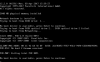
No Boot device is available, press enter to continur

MikeD8

Junior Member
Hi all,

I have been trying to get my Parallels working on my mac for a couple of weeks now...

The issue I have is I have installed Parallels to point at my bootcamp partition (on the same mac) however at startup I'm getting the message above.

I have two macs both running Parallels, one with a 480GB OWC drive and one with a 980GB OWC drive, the 480GB works fine but the 980GB gives me this message.

Both have Use EFI unticked, both pointing at Sata 0:1

I'm at a loss.

Any help or advice would be greatly appreciated

Mike.
 
Hi all,

I have been trying to get my Parallels working on my mac for a couple of weeks now...

The issue I have is I have installed Parallels to point at my bootcamp partition (on the same mac) however at startup I'm getting the message above.

I have two macs both running Parallels, one with a 480GB OWC drive and one with a 980GB OWC drive, the 480GB works fine but the 980GB gives me this message.

Both have Use EFI unticked, both pointing at Sata 0:1

I'm at a loss.

Any help or advice would be greatly appreciated

Mike.
Hello MikeD8, are you trying to import Bootcamp Windows partition into a Parallels Desktop virtual machine? Have you tried this article? If not, please try it once and keep us posted.
 
Hi there

Thanks for the reply - unfortunately I tried that but without success.
Correct - I have bootcamp running on a second partition on my macbook but prefer the ease of Parralels.
I copied the hard drive from my other mac (including copying the bootcamp partition), works fine in bootcamp (after activation) but not via Parallels, I wonder if copying the bootcamp partition has confused Parallels?

Regards

Mike.
 
What is strange (or maybe not) is the non working SSD under disk utility is under TYPE PCI Internal Physical Volume, whereas the working Mac has TYPE SATA Internal Physical Volume.

I'm not sure whether this is a problem or not?
 
Hi @MikeD8 , please help us with the screenshots of the error message you get when you start the boot camp virtual machine, so that we can check and assist you further.
 
Hi @MikeD8 , please try to remove the boot camp and please perform check disk on the the native boot camp and try running the boot camp once again from Parallels and let us know if that works.
 
Hi there,

Just finished - sadly no luck, I'm getting the same message, ran CHKDSK in both windows and root directory, setup Parallels but get the same message...
 
My hard drive (OWC 980GB) I believe, is seen as an external drive, even though its internally located in my macbook - could this be the issue?
 
Hi Paul,

I tried reinstalling it yesterday and was prompted to do an update, I had however deleted my VM, are you saying create the VM, then delete Parallels, then reinstall, but do not delete the VM?

Regards
 
Hi @MikeD8 , uninstalling and reinstalling Parallels Desktop application usually will not make any changes to your virtual machine. So, you have to move the application to trash and reinstall it once again.
 
Back
Top