black screen at Windows 10 startup

JoongL

Bit poster
I upgraded my Windows 7 pro to Winows 10 pro in Parallels Desktop 10 (20105, the lasted update)
Whenever I start my Windows 10, it stays in Black screen forever. ( 8 out 10)
I had to use "Reset" everytime with this problem.

I have read forums , I am sure there are users having same issue.
I have reinstalled my windows several times and reinstalled Parallels Tools. Also I started up in safe mode and reinstall Parallels Display Adapter several times.
Still having same problems.

Is there any upcoming updates for this issue or already have solution on this matter?

Please advise.
 
Using Version 10.2.2 (29105)
Very similar problem: Windows 10 freezing when initially trying to open. I tried the suggested tips of not unchecking Share Mac user folders with Windows, and it opened up once OK, but the second time I tried to open it, Windows was frozen again.
 
My W10 had a black screen at startup. I moved the mouse to where I thought the login field was and typed my PIN - Windows started fine and let me in. It almost seems like it is 'forgetting' to display the log in screen
 
My W10 had a black screen at startup. I moved the mouse to where I thought the login field was and typed my PIN - Windows started fine and let me in. It almost seems like it is 'forgetting' to display the log in screen
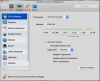
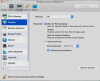
Hello MartinDean. Please shut down Windows, open the virtual machine configuration window, navigate to Hardware -> CPU & Memory and allocate 2 processors (or just 1 if the total number of available processors is just 2) and 2 GB of memory for Windows [or just 1 GB if total Mac memory is only 2 GB (or) 3 GB if total Mac memory is 8 GB (or) 4 GB if total Mac memory is > 8 GB]. Then, select 'Graphics' and allocate 1 GB of video memory for Windows. Finally, ensure that 'Vertical Synchronization' is enabled and 'DirectX 10' is selected for '3D Acceleration' under 'Advanced Settings'. Close the window and check if the issue persists.
 
Worth noting that in my particular case, adjusting the Graphics allocation up from 512 MB to 1 GB was the critical adjustment. I hope this will be helpful to other users.
 
I also have this problem with latest Parallels trial software. I have configures parallels in multiple ways, now I've set 4 processors, 8GB of ram (out of 16) and for graphics I have tested with 1 or 2 GB, same result.

I start the VM, I see boot screen, windows logo, my logon picture, i sign in and then black screen. Before installing parallels tools I had limited display resolution but I could see the desktop, after installing parallels tools and restarting, I can't see the desktop. I see boot screen, user password entry screen and black screen, when sending Shut Down command from Action Menu (even though screen is black) I can see the shut down screen with logoff picture... Only desktop is black...

Tried all the combination of setting, restarted in Safe Mode, removed parallels tools and I can see my desktop, after installing, only my desktop is black... I am on the latest High Sierra 10.13.3
 
Worth noting that in my particular case, adjusting the Graphics allocation up from 512 MB to 1 GB was the critical adjustment. I hope this will be helpful to other users.
Thanks for pointing this out.
I also have this problem with latest Parallels trial software. I have configures parallels in multiple ways, now I've set 4 processors, 8GB of ram (out of 16) and for graphics I have tested with 1 or 2 GB, same result.

I start the VM, I see boot screen, windows logo, my logon picture, i sign in and then black screen. Before installing parallels tools I had limited display resolution but I could see the desktop, after installing parallels tools and restarting, I can't see the desktop. I see boot screen, user password entry screen and black screen, when sending Shut Down command from Action Menu (even though screen is black) I can see the shut down screen with logoff picture... Only desktop is black...

Tried all the combination of setting, restarted in Safe Mode, removed parallels tools and I can see my desktop, after installing, only my desktop is black... I am on the latest High Sierra 10.13.3
Hi AdrianM3. Can you confirm that you've performed the steps quoted below sequentially?
Please shut down Windows, open the virtual machine configuration window, navigate to Hardware -> CPU & Memory and allocate 2 processors (or just 1 if the total number of available processors is just 2) and 2 GB of memory for Windows [or just 1 GB if total Mac memory is only 2 GB (or) 3 GB if total Mac memory is 8 GB (or) 4 GB if total Mac memory is > 8 GB]. Then, select 'Graphics' and allocate 1 GB of video memory for Windows. Finally, ensure that 'Vertical Synchronization' is enabled and 'DirectX 10' is selected for '3D Acceleration' under 'Advanced Settings'. Close the window and check if the issue persists.
 
As I said, after windows user login, screen is black. This only happens after installing parallels tools, if I uninstall it, there is no problem in viewing windows desktop.
Screen Shot 2018-02-04 at 12.02.10.png Screen Shot 2018-02-04 at 12.02.27.png
After starting the machine, arrive at user login, everything is ok until now, enter password for user and screen goes black:
Screen Shot 2018-02-04 at 12.01.10.png
I then shutdown machine from action menu and right away I have image again: "Windows is shutting down..." this proves that it is not unresponsive, just black screen.

In graphics option I did change from "Adjust for retina, Scaled..." no difference...

EDIT: My machine has 4 processors and 16GB of ram
 
I'm having difficulty like AdrianM3 is. Win 10 in Parallels 13 under MacOS high Sierra (MBP15 2012, 16 GB RAM, 512 GB SSD, i7), starts blue screen login, then goes black. Just started happening without warning. Error reported, 245173807.

It seems to me that this difficulty started after I updated my MacOS with their latest security patch. That's just an impression, but if it's a clue to solving the problem, I'd love to know.
 
Last edited:
I have 4 more days left from the trial so I will be unable to test this further, nothing from settings does any difference whatsoever...
 
Hello MartinDean. Please shut down Windows, open the virtual machine configuration window, navigate to Hardware -> CPU & Memory and allocate 2 processors (or just 1 if the total number of available processors is just 2) and 2 GB of memory for Windows [or just 1 GB if total Mac memory is only 2 GB (or) 3 GB if total Mac memory is 8 GB (or) 4 GB if total Mac memory is > 8 GB]. Then, select 'Graphics' and allocate 1 GB of video memory for Windows. Finally, ensure that 'Vertical Synchronization' is enabled and 'DirectX 10' is selected for '3D Acceleration' under 'Advanced Settings'. Close the window and check if the issue persists.

it worked for me! thanks!
 
Back
Top