Reduce size of Windows VM hard disk ?

MatthewB15

Junior Member
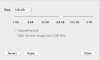
What am I suppose to do in this situation? I can slide in lower from 128GB to 80GB click apply BUT then after a few seconds it just goes back to 128GB. I don't have an option to "resize". Please help. My VM is taking up 128 GB but the actually date on the windows C drive is only around 58 GB would like to make it smaller to free up some space.
 

Attachments

  • 12368-a276e183f98cf9927c3c3636475829e4.png
    12368-a276e183f98cf9927c3c3636475829e4.png
    3.5 KB · Views: 42
Thank for you reply. That has been done but the same issue remain as stated in my first comment in this thread. I am unable to resize my VM. See details above.
 
Thanks. I've done all the steps provided. Still am unable to resize my VM.
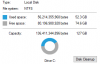
My VM has 74.6 GB free when I check the properties of the C drive in the VM. And the scan shows me the same thing.
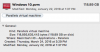
When I check my the size of the VM on my Mac it shows that it take up 118.89 GB.
I've reclaimed space, I've deleted snapshots, I've done disk cleanup etc. etc. I've done it all. No change.
My VM is larger then i should be and I am unable to change it. What now?
 

Attachments

  • Screen Shot 2018-01-30 at 1.30.22 PM.png
    Screen Shot 2018-01-30 at 1.30.22 PM.png
    15.4 KB · Views: 22
  • Screen Shot 2018-01-30 at 1.31.26 PM.png
    Screen Shot 2018-01-30 at 1.31.26 PM.png
    36.5 KB · Views: 21
I have the exact same problem. I trid several times and each time I then end up with odd issues with my VM and have to restore from a backup. I am sure this is a bug between MAcOS and Windows 10 that has yet to be resolved.

If I find a solution I will update this.
 
It is 229.96GB. Windows tells me there is 17.5GB free of 221GB. It seems I cannot shrink the volume any more than by 1GB so this is the core issue and possibly a Windows issue?
 
It is 229.96GB. Windows tells me there is 17.5GB free of 221GB. It seems I cannot shrink the volume any more than by 1GB so this is the core issue and possibly a Windows issue?
Let us know why you are trying to shrink the volume to assist you further.
 
My VM is still larger then it should be, see above. Have not received any real help other then the same old "Run Disk Cleanup."
My VM is 152 Gigs and takes up that much space on my Mac hard drive but only holds 60 Gigs of data when running the VM and looking at the Local Disk Properties. And I am unable to change the disk capacity in the VM's configuration.
Love to talk to someone about this. Been a user of parallels for years but this is disappointing.
 
No one has correctly answered Matthew's question. Myself, like him, do not care about cleaning up the space inside the Windows VM. We want to know when we are using the Mac parallels software, why we cannot make the harddrive space smaller using the mac parallels gui. We both started with 128 GB, We both see messages in windows saying 70GB + is free, or unused, we both can do simple math to figure out that a new setting of 80GB will still leave plenty of room in windows. We both tried setting the new size to 80 GB, both clicked apply, and we both received the same result. Parallels "gives up" or "aborts" the action without any message informing us why. I'm already anticipating some circle talking not useful reply, and if that's coming, then please parallels, tell me why your gui allows for an unactionable action to happen without any message informing us on why it didn't commit the request.
 
My VM is still larger then it should be, see above. Have not received any real help other then the same old "Run Disk Cleanup."
My VM is 152 Gigs and takes up that much space on my Mac hard drive but only holds 60 Gigs of data when running the VM and looking at the Local Disk Properties. And I am unable to change the disk capacity in the VM's configuration.
Love to talk to someone about this. Been a user of parallels for years but this is disappointing.

I'm going to keep bugging them until we get an answer.
 
No one has correctly answered Matthew's question. Myself, like him, do not care about cleaning up the space inside the Windows VM. We want to know when we are using the Mac parallels software, why we cannot make the harddrive space smaller using the mac parallels gui. We both started with 128 GB, We both see messages in windows saying 70GB + is free, or unused, we both can do simple math to figure out that a new setting of 80GB will still leave plenty of room in windows. We both tried setting the new size to 80 GB, both clicked apply, and we both received the same result. Parallels "gives up" or "aborts" the action without any message informing us why. I'm already anticipating some circle talking not useful reply, and if that's coming, then please parallels, tell me why your gui allows for an unactionable action to happen without any message informing us on why it didn't commit the request.
Do you have any snapshots in VM or system restore points saved in Windows? What is the size of the pvm file?
 
I've uploaded some pictures which i hope give you the answers you seek.
 

Attachments

  • Screen Shot 2018-06-24 at 8.37.51 AM.png
    Screen Shot 2018-06-24 at 8.37.51 AM.png
    54.8 KB · Views: 26
  • Screen Shot 2018-06-24 at 8.40.53 AM.png
    Screen Shot 2018-06-24 at 8.40.53 AM.png
    276.1 KB · Views: 22
  • Screen Shot 2018-06-24 at 8.45.48 AM.png
    Screen Shot 2018-06-24 at 8.45.48 AM.png
    82.4 KB · Views: 19
  • Screen Shot 2018-06-24 at 8.46.05 AM.png
    Screen Shot 2018-06-24 at 8.46.05 AM.png
    78.1 KB · Views: 19
Back
Top