AlexanderS17
Bit poster
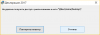
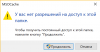
I am using Windows 10 Russian, Parallels 13, Mac OS High Sierra Russian, Desktop is on iCloud to save space on SSD. When I try to install a Windows tax reporting app (it's only Windows version), it says 'Can't get access to \\Mac\Home\Desktop error' on Windows app installation.
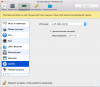
I have read all articles in the Knowledge Base and tried to do everything that is recommended to do except moving Desktop in Mac OS because that article in KB seems to be outdated, in my case the 'ls -la' command returns different output, and besides my Mac desktop is in iCloud. I isolated Windows and Mac and shared them again. Allowed Windows to connect to iCloud.
Recommendations to re-install Parallel Tools do not seem to appy to Parallel 13.
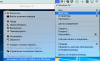
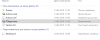
Windows starts normally, it sees Mac desktop and all the folders. I moved the 'msi' file to different locations, to C:\, to the Desktop etc, but it made no difference. I am running Windows with administrator account.
Is there a way to install the app on Parallels 13, or I should rather buy a Windows laptop?
I have read all articles in the Knowledge Base and tried to do everything that is recommended to do except moving Desktop in Mac OS because that article in KB seems to be outdated, in my case the 'ls -la' command returns different output, and besides my Mac desktop is in iCloud. I isolated Windows and Mac and shared them again. Allowed Windows to connect to iCloud.
Recommendations to re-install Parallel Tools do not seem to appy to Parallel 13.
Windows starts normally, it sees Mac desktop and all the folders. I moved the 'msi' file to different locations, to C:\, to the Desktop etc, but it made no difference. I am running Windows with administrator account.
Is there a way to install the app on Parallels 13, or I should rather buy a Windows laptop?