There is no operating system installed.... after disk space reclaim

PawelB4

Bit poster
Hi

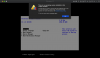
I was lured to reclaim some of the disk space used by a vm. I let it ran overnight as macOS was unbearable slow during this process and now when I try to run Windows Parallels says "There is no operating system installed in this virtual machine."

Is there any way to recover from this? Please don't say all my Windows files and projects are gone... I'm running Windows 10 on macOS Catalina 10.15.4 and Parallels Desktop 15 for Mac Pro Edition 15.1.4

Thanks, Paw
 

Attachments

  • Screenshot 2020-05-09 at 12.17.29.png
    Screenshot 2020-05-09 at 12.17.29.png
    273.6 KB · Views: 11
Hi
I was lured to reclaim some of the disk space used by a vm. I let it ran overnight as macOS was unbearable slow during this process and now when I try to run Windows Parallels says "There is no operating system installed in this virtual machine."
Is there any way to recover from this? Please don't say all my Windows files and projects are gone... I'm running Windows 10 on macOS Catalina 10.15.4 and Parallels Desktop 15 for Mac Pro Edition 15.1.4
Thanks, Paw
Hello, did you completely shut down your VM before the reclaiming?
What is the size of your virtual hard drive now?
 
Hi, yes from what I reckon VM had to be shut down before reclaim option become available so I did shut it down. I'm not entirely sure what was the image size before I tried to reclaim the space but now, corrupted file is 155.62GB.
 
Hi, yes from what I reckon VM had to be shut down before reclaim option become available so I did shut it down. I'm not entirely sure what was the image size before I tried to reclaim the space but now, corrupted file is 155.62GB.
Could you please try to create an empty VM and add this hard drive ti the new VM?
 
I'm following this. Although it's not exactly the problem I'm having, I do have an older Windows 7 pvm hard drive file that says there is no operating system installed. Other copies of the same file that I had stored as backups seem to be starting up but they loop "loading files...", going back to the startup PC text and starting to load again.
 
I'm following this. Although it's not exactly the problem I'm having, I do have an older Windows 7 pvm hard drive file that says there is no operating system installed. Other copies of the same file that I had stored as backups seem to be starting up but they loop "loading files...", going back to the startup PC text and starting to load again.
Hello, what is your virtual Hard Drive size?
 
Maybe try to fix you're pvm, with the terminal tool.
in Mac macOS, run Terminal and execute the command below:

prl_disk_tool check --hdd /Users/Shared/Parallels/Windows\ 10.pvm/Windows\ 7-0.hdd
If you pvm has different name or location, modify above command accordingly. A simple way to do that is type the first part of the command including a space at the end like this
prl_disk_tool check --hdd
then, in Finder, drag your pvm and drop on the terminal window. Wait until it's get to the 100% it might take while...

After it has been successful please try to start Windows recovery and try to fix the disk by command chkdsk
 
Back
Top