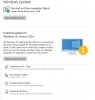
I was recently able to upgrade my Dell laptop from Windows 10 build 1909 to build 2004 using the Update Feature option on the Check For Updates window. However, this option does not appear on my Parallels Windows client. I just again updated build 1909 but did not see the update feature option.
Windows 10 Build 2004 has WSL2 which I would like to utilize but am not able to at this time.
I am running Parallels 15.1.4 on a 2017 iMac with 32GBRam and an I7 processor.
Would anyone know if it is even possible to run the upgrade yet or has Apple not yet approved Parallels for the upgrade. I read online yesterday that Apple has been slowly rolling out 2004.
Thanks.
Windows 10 Build 2004 has WSL2 which I would like to utilize but am not able to at this time.
I am running Parallels 15.1.4 on a 2017 iMac with 32GBRam and an I7 processor.
Would anyone know if it is even possible to run the upgrade yet or has Apple not yet approved Parallels for the upgrade. I read online yesterday that Apple has been slowly rolling out 2004.
Thanks.