
Hi @AlL,
on my Windows 10 system I have created the VM (Bitlocker was disabled, external HDD formatted as exFAT) - total size 134 GB; available on the external HDD 500 GB.
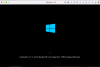
On my Macbook Pro (Mac OS Big Sur 11.0.1) after starting Parallels import routine the Windows 10 pvm was detected and imported within 30 minutes - but now the screen tells me "Laufwerk (C wird überprüft und repariert: 100% abgeschlossen" > so in English similar to "Drive (C will be checked and repaired: 100% completed". I have already tried to delete everything on the MB Pro, uninstall & reinstall Parallels 16 on the MB and restart the import > same result, waited for approx. 2 hours before canceling the process.
Any ideas ?
Stay safe, stay well!
Gerhard
on my Windows 10 system I have created the VM (Bitlocker was disabled, external HDD formatted as exFAT) - total size 134 GB; available on the external HDD 500 GB.
On my Macbook Pro (Mac OS Big Sur 11.0.1) after starting Parallels import routine the Windows 10 pvm was detected and imported within 30 minutes - but now the screen tells me "Laufwerk (C
wird überprüft und repariert: 100% abgeschlossen" > so in English similar to "Drive (C will be checked and repaired: 100% completed". I have already tried to delete everything on the MB Pro, uninstall & reinstall Parallels 16 on the MB and restart the import > same result, waited for approx. 2 hours before canceling the process. Any ideas ?
Stay safe, stay well!
Gerhard
