Chrome OS Flex

Hi @Dmitry@Parallels !
I would like to join in, my report ID being 391509245 - for me, the issue appears similar to the one @VITEX is experiencing: The VM boots up, shows the message "Loading vmlinuz.A... ok", and a moment later it automatically reboots.
I may add that I have tried two different thumb drives so far. Both of them are working fine with a physical machine. Trying to boot another VM with those thumb drives within Parallels results in the same(?) boot cycle.
Any hints are highly appreciated! Thank you very much in advance!
Hey @GunterG, thanks so much for the details!

Everyone, please try using this PVM template and let me know if you can boot to Chrome OS Flex installer with it.
https://fe.parallels.com/16cd5b6e69c1d1d7672768b490da3c81/Chrome OS Flex.pvmp
 
Hey @GunterG, thanks so much for the details!

Everyone, please try using this PVM template and let me know if you can boot to Chrome OS Flex installer with it.
https://fe.parallels.com/16cd5b6e69c1d1d7672768b490da3c81/Chrome OS Flex.pvmp

Hi @Dmitry@Parallels !
As far as I am concerned, things are looking good so far. Using the PVM template, I was able to boot from a USB thumb drive with the Chrome OS Flex installer.
On top of that, I successfully ran the installer itself and booted into the Chrome OS Flex from the vHDD. With a second VM, the live version is working, too.

For me, the template seems to work just fine. Thank you very much @Dmitry@Parallels - and thanks to your colleagues in engineering/dev!
 
Hi, @Dmitry@Parallels -- I imported the new PVM template, and it freezes on the Chrome splash screen.
@Dmitry@Parallels -- Update: I was able to successfully boot and install Chrome OS Flex:
  1. I imported your new PVM.
  2. I turned off my Bluetooth keyboard and mouse and connected wired devices.
  3. I disconnected my USB hub and moved the installation thumb drive to one of the native USB ports on the back of the iMac.
  4. The VM then booted successfully and was able to install.
Unfortunately, since I abandoned the scientific method, I'm not sure if #2 or #3 led to my success. After installation, the VM works with my bluetooth keyboard and mouse.

Thanks for all your help -- I hope these steps are useful to others.
 
Hi, @Dmitry@Parallels -- I managed to get the PVM technique to work to some extent. I needed a Kingston USB key and not a PNY Hook Key. (No idea why) The clue about the plugging in the USB to the back of the MacMini in my case fixed the install. The BT keyboard issue was similar and a Logitech failed until the full install was done and a restart finally occurred. Thereafter the BT connnection was not really reliable. Present problem is how to force the display to operate > 640x480 pixels. No doubt there will be a P Tools utiliy to sort this out in due course but for now I shall use a magnifying glass as I cannot stretch the VM window. I can browse as guest or User fine. A bit of a battle but thankfully your clues helped2022-03-01_18-07-03.jpg 2022-03-01_18-09-11.jpg 2022-03-01_18-10-21.jpg
 
I just did some additional testing. (For @Dmitry@Parallels and @MikhailU@Parallels, I created an additional technical report, ID: 392233151)
What I found so far:
  • using an Intenso Premium Line (8GB) thumb drive with the provided template (thanks again!), everything seems to work well;
  • using an Intenso Mini Mobile Line (16GB) thumb drive, the VM shows the splash screen, but freezes after switching to the next one.
Both USB thumb drives are working without any problems when using a physical machine (a Dell E4200 in my case).
The system I am using is a 2020 13" MBP (i5, 16GB, 4x Thunderbolt), running macOS 11.6.4 (20G417) and Parallels Desktop 17.1.1 (51537). The USB thumb drives are connected to the MBP using a UNI 3-in-1. Recent testing was done with no other hardware attached to the Mac and bit BT turned off. (Booting the Premium Line thumb drive and running Chrome OS Flex from vHDD works (mostly ...) well form me with this setup.)

Maybe this is helpful.
 
i have send technical reports I can't instal I am stuck on the with screen with google logo. after that nothing happend.
 
Great stuff. I was able to install but the cursor is very jumpy and hard for me to use. Any ideas?
Install went fine, but I'm also experiencing cursor issues. Turning off Mouse Acceleration in the Chrome OS settings helped a bit, but it's definitely not right. (I've got "Optimize for games" turned on in the Parallels settings, FYI.)
Anyone else seeing this or found a solution?
 
Hello,
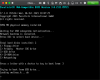
I followed all the instructions, created a USB boot drive from chrome extension Chromebook Recovery Utility. But once the Recovery Utility is completed, my USB canned to seen on my MacOS. It shows on the Disk Utility but the drive is not available on my macbook Locations... When I follow the other instructions I get the following
Don't know what to do?
 

Attachments

  • Screenshot 2022-06-20 at 2.27.21 PM.png
    Screenshot 2022-06-20 at 2.27.21 PM.png
    177.6 KB · Views: 9
Hello,
I followed all the instructions, created a USB boot drive from chrome extension Chromebook Recovery Utility. But once the Recovery Utility is completed, my USB canned to seen on my MacOS. It shows on the Disk Utility but the drive is not available on my macbook Locations... When I follow the other instructions I get the following
Don't know what to do?

Greetings Muzafaru,
To let us better understand the issue, we created a ticket for further investigation.
Please check your muzafar@gmail.com email inbox.
 
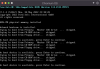
Running Parallels 18, just tried installing from my newly formatted usb disk. Ran fine and was able to login to Chrome OS Flex when running from the key but installation failed due to (among other things in a fairly lengthy log), "Secondary GPT header is invalid," "failed to set parameter clear_tpm_owner_request," and "One of the GPT headers/entries is invalid." And since I don't know how Chrome OS works in general... in case this is valid, one of the last things that had the word "error in it" at the bottom of the install log, "dm_verity.error_behavior=3." Any thoughts on this would be appreciated.
 
Running Parallels 18, just tried installing from my newly formatted usb disk. Ran fine and was able to login to Chrome OS Flex when running from the key but installation failed due to (among other things in a fairly lengthy log), "Secondary GPT header is invalid," "failed to set parameter clear_tpm_owner_request," and "One of the GPT headers/entries is invalid." And since I don't know how Chrome OS works in general... in case this is valid, one of the last things that had the word "error in it" at the bottom of the install log, "dm_verity.error_behavior=3." Any thoughts on this would be appreciated.
Greetings Andrew,
We are sorry for the delay in response.
We created a ticket for further investigation. Please check your email inbox.
Thank you!
 
Installation ?
1/ Several Usb Key needed...
My first one did not run...
The second one run...
But I had to create 5 Reboot Key to succeed...
Suggestion : In your link "https://www.parallels.com/blogs/run-chrome-os-flex-in-parallels-desktop-for-mac/", add that it's possible that a usb key can have problems to be read.
2/ 8G0 instead 64GO...
By Default, the disk has 64 GO... It's to much even you have your Mac environnent close to // Desktop.
In the link "https://www.parallels.com/blogs/run-chrome-os-flex-in-parallels-desktop-for-mac/"
in the "Create a VM", just had the setting of the hard disk to 8GO, if the user does not need more disk Space.
3/ How to reinitialize the VM if the installation aborts.
Write some words ...
 
I have Chrome OS Flex installed on Parallels Desktop 18 on my late 2013 MacBook Pro. Linus is disabled/unavailable in Chrome Fex settings. Is there something I can di to enable this feature?
 
GunterG, thanks for sharing the pvmp template. It would be super helpful if the official Parallels article by Sharda Veeramally was updated with this fix.

I have Chrome OS Flex installed on Parallels Desktop 18 on my late 2013 MacBook Pro. Linus is disabled/unavailable in Chrome Fex settings. Is there something I can di to enable this feature?

Can you check under Settings and then under Advanced options, choose Developers?
 
Team, Has there been any updates to support M series Apple silicon? Or are there plans to? Thanks for your time!
 
Back
Top