5162 + Leopard -> Network problem

bflyen

Junior Member
Only minor network problems after installing Leopard with Kubuntu yesterday, but after the login update from Apple today, Kubuntu and Vista is not able to connect to shared networking.

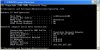
In Vista with build 5162, shared folders are working and the C drive is coming up in Leopard, but Vista complains about limited network connectivity:
paralles-net.jpg


In Kubuntu it connects but the connection does not work.

BenT
 
Same Problem

I've also experienced this problem since switching to Leopard.

I'm running Windows XP in Parallels, and it always responds "limited or no connectivity." I've double-checked my Leopard firewalls, my parallels configuration, everything looks copacetic.

I'd really appreciate it if anyone had some insight to this!
 
Hello,

For the Shared networking issue with Leopard we recommend the following steps:

1. Reboot your Mac.
2. Select System Preferences from the Apple menu and click Network.
3. If the Parallels NAT port status indicator is red, uninstall Parallels in the following manner:
a. Go to Finder - Applications - Utilities - Terminal. Type and run the following commands:
• sudo rm /System/Library/Extensions/vmmain.kext
• sudo rm /System/Library/Extensions/hypervisor.kext
• sudo rm /System/Library/Extensions/helper.kext
• sudo rm /System/Library/Extensions/ConnectUSB.kext
• sudo rm /System/Library/Extensions/Pvsnet.kext
• sudo rm ~/Library/Parallels/
• sudo rm /Library/Parallels/
• sudo rm ~/Library/Preferences/com.parallels
b. Reboot your Mac and reinstall Parallels.
4. If the Parallels NAT port status indicator is green, please provide us the following so that we can diagnose the problem:
• The network adapter emulation type in Configuration of the VM
• The network connection type in Mac side (Wireless, Ethernet, Modem)
• The information from Mac’s Terminal (/Applications/Utilities/) “ifconfig†command
• The screenshot of Command window with “ipconfig /all†command in the Windows side (press windows(apple) key + R and type â€cmdâ€)
• The VPN client manufacturer (if you use VPN)
Please send this information to us either by attaching them to your forum post or with a Private Message. You can also send it via a support request form at http://www.parallels.com/en/support/request/.

Best regards,
Xenos
 
Won't this kill your Virtual Machine?

I don't mind reinstalling Parallels, but it seem to me that:

• sudo rm ~/Library/Parallels/

Will remove your virutal Machine files.

Shouldn't you move them from that directory before any of this?
 
ew.darwill.com, your VM files should be stored by default in /Users/<Your user name>/Documents/Parallels/. Please check.
If they were moved to ~/Library/Parallels manually you should certainly remove them from that directory.

Best regards,
Xenos
 
5162+Parallels Tools fixed this problem for me

I had this exact same problem. I installed build 5162, ran my WinXP VM (and the networking failed), then rebooted, started Parallels Desktop, ran the same WinXP VM, and allowed Parallels Tools to install in that WinXP VM. That's seemed to fix it...for now, at least.

Very strange. The Apple Network preference pane showed that Parallels NAT was "green" both before and after the build 5162 install/failure/success cycle described above. Bizarre.
 
I followed the instructions here, and tried to re-install... and now Parallels won't launch at all. Every time I try to launch it, it crashes itself.

I also tried uninstalling using AppZapper, and the Parallels uninstaller, and no matter how I uninstall, it fails to run after I install.

What the heck happened??
 
ew.darwill.com, your VM files should be stored by default in /Users/<Your user name>/Documents/Parallels/. Please check.
If they were moved to ~/Library/Parallels manually you should certainly remove them from that directory.

Best regards,
Xenos

when did this happen? i have been a user since 2.5 and my vm has always lived in ~/Library/Parallels. i just checked - it still does. i do not (and never have had) a parallels directory in my documents folder.
 
nighthawk663, please repair Disk Permissions following these instructions.

kms_md, you are right. In 2.5 version VM configuration files are stored in ~/Library/Parallels. The described reinstallation steps are intended for 3.0 version. I'm sorry for not pointing out this fact. Thank you for your precaution.

Best regards,
Xenos
 
nighthawk663, please repair Disk Permissions following these instructions.

kms_md, you are right. In 2.5 version VM configuration files are stored in ~/Library/Parallels. The described reinstallation steps are intended for 3.0 version. I'm sorry for not pointing out this fact. Thank you for your precaution.

Best regards,
Xenos

xenos,
should i move the parallels directory (i am currently using build 5162)? i do not have any sort of parallels directory in my documents folder.
 
how to upgrade 2.5 to 3.0 & preserve VM file?

I mistakenly believed I had Parallels 3.0 when I purchased box at store last month, but it was 2.5 (build 3184). I upgraded to Leopard and now would like to upgrade my Parallels to 3.0. From this thread it seems that 2.5 and 3.0 place the Virtual Machine in different locations by default. If possible, I'd like to avoid having to reinstall my virtual machine and applications because they seem to work fine, but Parallels itself has been unstable since I did the Leopard upgrade. I have a SuperDuper copy of my hard disk from running Tiger.

Would really appreciate advice on how to upgrade and get the most Leopard-compatible version of Parallels running and whether I need anything more than my Serial Number from my Parallels purchase to get Paralllels 3.0 activiated.
 
kms_md, to find your VM configuration files, type .hdd in Mac Finder search. If they are not in ~/Library/Parallels/, you will not delete them while doing full uninstallation.
If they are in ~/Library/Parallels/, move them to another directory.

David Stewart, you should install build 5160. For the moment it's considered to be the most reliable despite a number of issues with Leopard. To upgrade you need an upgrade key which you can buy with 40% discount. You'll find the instructions on the site. There is also a chance of free upgrade. To avoid possible bugs you should uninstall PD 2.5 before installing 3.0. Your VMs will not be affected.

Best regards,
Xenos
 
kms_md, to find your VM configuration files, type .hdd in Mac Finder search. If they are not in ~/Library/Parallels/, you will not delete them while doing full uninstallation.
If they are in ~/Library/Parallels/, move them to another directory.

thanks for the reply, xenos. i know that my vm lives in ~/Library/Parallels. should it be moved to ~/Documents/Parallels? is there any problem leaving it where it is at?
 
Yes you should move hdd and pvs files from ~/Library/Parallels/ if you're going to uninstall Parallels in the manner described above. Because this command: sudo rm ~/Library/Parallels/ - will delete everything the folder ~/Library/Parallels/ is containing.

Best regards,
Xenos
 
Having the same problem

Using build 5160 and Leopard, after installing Windows XP, everything seemed to be working fine. After upgrading the VM to Service Pack 2, I no longer have any network connectivity to my virtual machine. Also, it has hung a couple of times after I have started, causing me to Force Quit Parallels.

To answer your questions:

• The network adapter emulation type in Configuration of the VM
Shared Networking

• The network connection type in Mac side (Wireless, Ethernet, Modem)
Wireless

• The information from Mac’s Terminal (/Applications/Utilities/) “ifconfig†command
lo0: flags=8049<UP,LOOPBACK,RUNNING,MULTICAST> mtu 16384
inet6 fe80::1%lo0 prefixlen 64 scopeid 0x1
inet 127.0.0.1 netmask 0xff000000
inet6 ::1 prefixlen 128
gif0: flags=8010<POINTOPOINT,MULTICAST> mtu 1280
stf0: flags=0<> mtu 1280
en0: flags=8863<UP,BROADCAST,SMART,RUNNING,SIMPLEX,MULTICAST> mtu 1500
ether 00:1b:63:91:63:6d
media: autoselect status: inactive
supported media: autoselect 10baseT/UTP <half-duplex> 10baseT/UTP <full-duplex> 10baseT/UTP <full-duplex,hw-loopback> 10baseT/UTP <full-duplex,flow-control> 100baseTX <half-duplex> 100baseTX <full-duplex> 100baseTX <full-duplex,hw-loopback> 100baseTX <full-duplex,flow-control> 1000baseT <full-duplex> 1000baseT <full-duplex,hw-loopback> 1000baseT <full-duplex,flow-control> none
fw0: flags=8802<BROADCAST,SIMPLEX,MULTICAST> mtu 4078
lladdr 00:1b:63:ff:fe:79:b9:1c
media: autoselect <full-duplex> status: inactive
supported media: autoselect <full-duplex>
en1: flags=8863<UP,BROADCAST,SMART,RUNNING,SIMPLEX,MULTICAST> mtu 1500
inet6 fe80::21b:63ff:fec2:8c3d%en1 prefixlen 64 scopeid 0x6
inet 192.168.1.7 netmask 0xffffff00 broadcast 192.168.1.255
ether 00:1b:63:c2:8c:3d
media: autoselect status: active
supported media: autoselect
en2: flags=8863<UP,BROADCAST,SMART,RUNNING,SIMPLEX,MULTICAST> mtu 1500
inet6 fe80::21c:42ff:fe00:0%en2 prefixlen 64 scopeid 0x7
inet 169.254.225.155 netmask 0xffff0000 broadcast 169.254.255.255
ether 00:1c:42:00:00:00
media: autoselect status: active
supported media: autoselect
en3: flags=8863<UP,BROADCAST,SMART,RUNNING,SIMPLEX,MULTICAST> mtu 1500
inet6 fe80::21c:42ff:fe00:1%en3 prefixlen 64 scopeid 0x8
inet 169.254.225.155 netmask 0xffff0000 broadcast 169.254.255.255
ether 00:1c:42:00:00:01
media: autoselect status: active
supported media: autoselect

• The screenshot of Command window with “ipconfig /all†command in the Windows side (press windows(apple) key + R and type â€cmdâ€)
See attached screen shot

• The VPN client manufacturer (if you use VPN)
None
 

Attachments

  • Picture 1.jpg
    Picture 1.jpg
    32.8 KB · Views: 4
robdimarco, did you try to reinstall Parallels as described in known issues and workarounds?

Also please do the following:
1. Launch Parallels Desktop for Mac.
2. Click the Network Adapter link in the main configuration window to open its settings.
3. Make sure that the Enabled and Connect cable at startup options are selected in the Device Status area.
4. Under the Emulation section select the Bridget Ethernet option.
5. Click OK to close Configuration Editor.

Best regards,
Xenos
 
Xenos,
I have the upgrade key and am ready to move VM files from library to documents folder prior to uninstall of 2.5. My question is- how many of the VM files should I move to documents? all of them or are some associated with Parralels 2.5 and need to be deleted?
I see the .hdd file that needs to be preserved, my question is whether I also preserve the
.mem, .pvs, .fdd, and the folder labelled "Windows Applications"? Thanks for your guidance on this.
 
Yup, reinstalling Parallels fixed it

I was also getting "Limited or no connectivity" since applying the Leopard service pack (10.5.1?). I was fine when I just upgraded to Leopard. I didn't go through all the cleaning steps recommended in this thread, I just opened the 5160 build dmg, uninstalled, then reinstalled and entered my license key.
 
Back
Top