Ability to sort control center list of VMs by status (running, suspended, shutdown, archived)

meermanr

Bit poster
I use Parallels + Vagrant for work, so I have a lot of VMs on my system (20 at this time of writing) of which only a few (perhaps 5) are running at a given time. When rebuilding my development environment, Vagrant automatically destroys and recreates VMs, boots them up, installs stuff on them, and then orchestrates some testing between the VMs.

I'd like to be able to see the status of my VMs more easily, but only the ones which are "active". So I'd like to be able to sort the Control Center list of VMs by their power status (e.g. running VMs at the top, followed by suspended VMs, then powered off VMs, and then perhaps archived ones (if they are listed at all, been a while).

Alternatively, if the VMs can be sorted by most recently manipulated, so the ones I've been powering up and down are at the top. Note that I rarely interact with the Parallels UI: I use `vagrant up` to bring VMs up, and `vagrant halt` to bring them down, which is to say all my interactions are via `prlctl` under the hood.

 
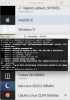
Here's a sample of how my control center looks right now. I have to scroll to get to the VM I was using most recently, and really all I want to know is if its booting up, shutting down, (etc) by looking at the thumbnail.

You know, just reassurance that something is happening while I wait for my automated runs to complete.
Cleanshot 2022-04-21 at 13.41.02 of Parallels Desktop's Control Center.png
For a while I tried using the Resource Monitor window to get a quick view of which VMs are "up", but because it is Always-on-top it gets in the way too much. If that window acted like any other window, I could position it somewhere convenient and be able to see enough of it to keep me happy.
 
Here's a sample of how my control center looks right now. I have to scroll to get to the VM I was using most recently, and really all I want to know is if its booting up, shutting down, (etc) by looking at the thumbnail.

You know, just reassurance that something is happening while I wait for my automated runs to complete.
View attachment 19457
For a while I tried using the Resource Monitor window to get a quick view of which VMs are "up", but because it is Always-on-top it gets in the way too much. If that window acted like any other window, I could position it somewhere convenient and be able to see enough of it to keep me happy.
Hi @meermanr, better late than never.. You can do this by using the View menu > Arrange By > Date last opened. Please let me know if it works for you.
 
Thanks DImitry, I've been using and enjoying this new sorting method since the update.

I've noticed that the VMs at the top are only those that have been recently created or booted via the UI. The VMs I launch via "vagrant up" don't seem to get pulled to the top. Is that expected?
 
Thanks DImitry, I've been using and enjoying this new sorting method since the update.

I've noticed that the VMs at the top are only those that have been recently created or booted via the UI. The VMs I launch via "vagrant up" don't seem to get pulled to the top. Is that expected?
Hey @meermanr, just checked on my Mac with version 18.1.1, and it seems to work fine. Would you please double check on the latest version and if it's not working for you, please record a video if possible and attach it to the technical report generated via the Help menu (Send Technical Data...), please reply with the report ID and I will report to engineers for investigation.

upload_2022-12-21_14-54-26.png
 
Back
Top