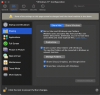
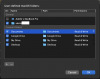
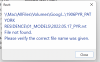
I am using my Mac Monterey 12.01 with Parallels 18 running Windows 11. I have Google Drive for Desktop installed on my mac where I access most of my files. I would like to run Revit LT 2022 from Windows and access files from Google Drive for Desktop (on the Mac side), but even when allowing full drive access and adding "Google Drive" as a custom shared folder, I cannot open Revit files. Other file types can be accessed from the file explorer in Windows without issue. Additionally, if I open a Revit file from the Windows side, I am not able to access material swatches from Google Drive on the mac side. Any help on this? Thanks.

Accessing Revit Files from Mac Google Drive for Desktop
- Thread starter Adelle
- Start date