After big windows 10 Update connection to Mac lost

IngoW1

Bit poster
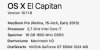
Parallels 11.2.1, OS X 10.11.6

My good running Windows10 machine did load the big Windows10 Update and rebooted a few times to install it.

Now I have a lot problems:
Slow reaction of mouse
only 1024 x768 resolution with Generic Non-PnP Monitor
no program is launching because of lost connection to Mac-Home-Desktop....
how to get a running Win10 machine back?
Thanks
Bildschirmfoto 2016-08-06 um 17.31.36.JPG Bildschirmfoto 2016-08-06 um 17.46.17.JPG
 
Parallels 11.2.1, OS X 10.11.6

My good running Windows10 machine did load the big Windows10 Update and rebooted a few times to install it.

Now I have a lot problems:
Slow reaction of mouse
only 1024 x768 resolution with Generic Non-PnP Monitor
no program is launching because of lost connection to Mac-Home-Desktop....
how to get a running Win10 machine back?
Thanks
View attachment 11483 View attachment 11484
Have you tried reinstalling Parallels tools? If not, please try and let us know how it works.
 
I deinstalled Parallel Tools without problems.
For the new install parallel asks for a setup CD. This is new. I don't think I have a CD, because I did download all last parallels updates!
All last Parallel Tools installations were done without CD.

Still only the bad resolution available.:mad:Bildschirmfoto 2016-08-06 um 18.42.38.JPG
 
You can click on continue and try the below steps
1. Click on Start menu > ThisPC > Locate Parallels Tools CD drive. Then double-click on it to launch Parallels Tools installation.
2 . Restart the virtual machine.
 

Attachments

  • Capture.PNG
    Capture.PNG
    17.6 KB · Views: 2
Back
Top