
Better user authentication monitoring.
We are missing a good overview of user authentications.
Per now, the Settings Audit is a great tool to see settings and changes in RAS management, but we are missing a good monitor for user authentications.
This could be a separate list from the sessions list, that lists actual RDSH Sessions.
We are missing information like:
-Timestamp for authentication event
-login successful (yes/No)
-login note: (unknown user, wrong password, failed MFA, SAML Mismatch)
-username (could be a user, wronfully spelled username, SAML Claim user, or bruteforce attack user attempted)
-matched username (preferably upn) from AD (Actual match for username
-Full name from AD Match
-client type (SAML. AD, AD+RADIUS MFAetc.)
-Login / End user Source IP
-Login / End user Source Country
-RAS Gateway Server
-Enrollment Server
-Enrollment Server token
-Enrollment Server token lifetime
-Theme
This would help us with
1. Supporting customer when login failed, wrong username, wrong saml user, mismatch saml/ad user etc.
2. let us see all bruteforce login attempts, for operational security
3. Get a better view of authentication in stead of having to download logs and parse through text files.
As a contrast, here is the login attempts seen from our RADIUS/MFA:
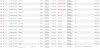
A lot of bruteforce attempt is happening, but nothing is seen in RAS.
We are missing a good overview of user authentications.
Per now, the Settings Audit is a great tool to see settings and changes in RAS management, but we are missing a good monitor for user authentications.
This could be a separate list from the sessions list, that lists actual RDSH Sessions.
We are missing information like:
-Timestamp for authentication event
-login successful (yes/No)
-login note: (unknown user, wrong password, failed MFA, SAML Mismatch)
-username (could be a user, wronfully spelled username, SAML Claim user, or bruteforce attack user attempted)
-matched username (preferably upn) from AD (Actual match for username
-Full name from AD Match
-client type (SAML. AD, AD+RADIUS MFAetc.)
-Login / End user Source IP
-Login / End user Source Country
-RAS Gateway Server
-Enrollment Server
-Enrollment Server token
-Enrollment Server token lifetime
-Theme
This would help us with
1. Supporting customer when login failed, wrong username, wrong saml user, mismatch saml/ad user etc.
2. let us see all bruteforce login attempts, for operational security
3. Get a better view of authentication in stead of having to download logs and parse through text files.
As a contrast, here is the login attempts seen from our RADIUS/MFA:
A lot of bruteforce attempt is happening, but nothing is seen in RAS.