Black Screen after Windows boots

motuman

Bit poster
After a restart from installing Parallel Tools, I get a black screen after windows xp boots. Reboot to safe mode and attempt to uninstall Parallel Tools, but I get a warning message saying Parallels Tools cannot be uninstalled until windows is restarted and Parallel Tools finishes installing.

Windows XP Pro
Mac OS Leopard
Parallels 3.0 build 5582
 

Attachments
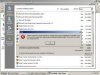
  • Parallels Picture.jpg
    Parallels Picture.jpg
    21.4 KB · Views: 8
Last edited:
Hello,

please try to do the following:
1. Boot Windows in Safe Mode by hitting F8 (Fn+F8) during its boot screen. Go to "My Computer" - "C" Drive - "Program Files" - "Parallels" folder and delete the "Parallels Tools" folder.
2. Click the Windows "Start" menu -> "Run" and type "regedit". Hit OK.
3. In Registry Editor, go to "My Computer\HKEY_LOCAL_MACHINE\SOFTWARE\Parallels" and delete the "Parallels Tools" entry.
4. Reboot Windows
5. Now you can re-install Parallels Tools from the "Actions" menu on the Parallels Desktop menubar when Windows is running .

Best regards,
Stacey
 
Stacey,

I have tried the above but it does not still work. I can only access the VM in safe mode. It still shows Parallel Tools in Add/Remove Programs and uninstalling still gives me the same error.
 
Back
Top