Okay, I bit the bullet and totally started over. I mean reformatting the WHOLE hard drive and reinstalling the Mac OS, made a 125GB Boot Camp partition, reinstalled Windows XP SP2 and Parallels v5. And I've done this TWICE so far. Yes, I've been at it the whole day and night (it's 12:55AM as I write this).
Everything appears to finally be acting like I think it should be, with one minor exception. In downloading all the windows updates, everything but the SP3 update gets installed. I continue to get this message that says:
"There is not enough disk space on G: to install Service Pack 3. Setup requires a minimum of 4 additional megabytes of free space or, if you also want to archive the files for uninstallation, setup requires 4 additional megabytes of free space. Free additional space on your hard disk and try again."
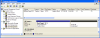
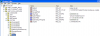
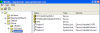
I went into My Computer and I see, under Hard Disk Drives, BOOTCAMP(C and LOCAL DISK (G. I have no idea where the "G" disk came from, do you? When I check Properties, it says "File system: Raw" (I assume that means not fornatted, which it isn't) and for "Used Space" and "Free Space" "0 bytes" for both.
Questions:
Why is Software Updates trying to install on this G drive?
How can I change the location of the download and install for SP3?
Can this "G" drive be deleted"?
Or, should this "G" drive be formated? Why?
Like I said, all of the other 179 updates dowloaded and installed as they should have. And the BOOTCAMP Hard disk has Used space of only 10.7GB and Free space of 112GB. No lack of space here.
Everything appears to finally be acting like I think it should be, with one minor exception. In downloading all the windows updates, everything but the SP3 update gets installed. I continue to get this message that says:
"There is not enough disk space on G: to install Service Pack 3. Setup requires a minimum of 4 additional megabytes of free space or, if you also want to archive the files for uninstallation, setup requires 4 additional megabytes of free space. Free additional space on your hard disk and try again."
I went into My Computer and I see, under Hard Disk Drives, BOOTCAMP(C
and LOCAL DISK (G. I have no idea where the "G" disk came from, do you? When I check Properties, it says "File system: Raw" (I assume that means not fornatted, which it isn't) and for "Used Space" and "Free Space" "0 bytes" for both.Questions:
Why is Software Updates trying to install on this G drive?
How can I change the location of the download and install for SP3?
Can this "G" drive be deleted"?
Or, should this "G" drive be formated? Why?
Like I said, all of the other 179 updates dowloaded and installed as they should have. And the BOOTCAMP Hard disk has Used space of only 10.7GB and Free space of 112GB. No lack of space here.