Boot Camp not displayed when creating new VM

RyanQ1

Bit poster
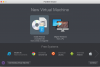
I am running Parallels and I recently redid my Boot Camp partition to Windows 10, as the update from Windows 7 to 10 failed the first time so I wiped it. I am unable to access my Boot Camp partition via Parallels - when I go into the New Virtual machine options, I only see the two choices - to install a fresh OS, or to Migrate from another PC. The third choice to utilize the Boot Camp partition is not shown.

Is there anything I need to do to get Parallels to recognize my Boot Camp? I'd really like to avoid redoing everything a second time, as everything is working 100% when I am running the Windows 10 partition. Thank you.
 
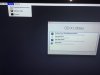
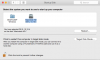
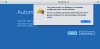
Hi Paul, thanks for the fast response. However, I do not see an option in the recovery console matching your description, as per the attached screenshot. I have also attached screenshots showing Boot Camp is indeed installed and recognized by OS X, as well as Parallels not being aware.2015-08-15 13.59.39.jpgScreen Shot 2015-08-15 at 2.11.07 PM.pngScreen Shot 2015-08-15 at 2.11.36 PM.png
 
Hi Manoj,

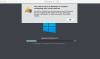
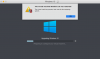
I have tried the steps detailed in those two knowledge base articles (including installing NTFS access permissions from Paragon to replace volumes.inf). Unfortunately, this is as far as it gets. Every option I choose - restart, advanced options, etc, either loops back a "restarted" screen, loops back to the blue "log in first" screen, or seems to hang Parallels.

Screenshot 2015-08-15 17.59.41.png Screenshot 2015-08-15 18.07.39.png
 
Last edited:
Hi Manoj,

I have tried the steps detailed in those two knowledge base articles (including installing NTFS access permissions from Paragon to replace volumes.inf). Unfortunately, this is as far as it gets. Every option I choose - restart, advanced options, etc, either loops back a "restarted" screen, loops back to the blue "log in first" screen, or seems to hang Parallels.

View attachment 10175 View attachment 10176
Hello Ryan,
Could you please try to follow the steps mentioned in this knowledge based article below to configure your Windows virtual machine when you receive the error stating 'You need to log in to Windows'.
http://kb.parallels.com/116582
 
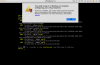
Ok, did that. The terminal output matched the output on the knowledge base article, but this looks a bit worrisome.
 

Attachments

  • Screenshot 2015-08-15 20.48.10.png
    Screenshot 2015-08-15 20.48.10.png
    100.7 KB · Views: 8
Hello Ryan,
Could you please Shut down or Stop the virtual machine and then go to Virtual Machine configuration-->Hardware Tab-->Boot order-->Ensure that 'Use EFI Boot' is checked.
Then try to boot your Virtual Machine to check if the issue still persists.
 
Dishant,

It was selected already. I'm still getting that black screen with the EFI-related text and the Shell prompt on it that I posted in the 8th post in the thread.
 
Back
Top