Hello Everyone,
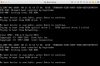
I am trying to create a VM of my Boot Camp instance via the Parallels Boot Camp Wizard. However, once the process is completed and I try to start the VM, it always leads to a Windows booting message that says "No Boot Device Available" (see screenshot)
I tried following the primary guide for this error from the Parallels Support page, but it produces no resolution: http://kb.parallels.com/en/123150
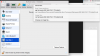
One thing I noticed in the article is that the image file under hardward configuration has a check box next to it. When I try to select the image file from my .pvm, it will not hold a check mark and remains blank. (see screenshot)
Any ideas or suggestions? I can provide more information or screenshots if needed.
Best Regards,
Stephen B
I am trying to create a VM of my Boot Camp instance via the Parallels Boot Camp Wizard. However, once the process is completed and I try to start the VM, it always leads to a Windows booting message that says "No Boot Device Available" (see screenshot)
I tried following the primary guide for this error from the Parallels Support page, but it produces no resolution: http://kb.parallels.com/en/123150
One thing I noticed in the article is that the image file under hardward configuration has a check box next to it. When I try to select the image file from my .pvm, it will not hold a check mark and remains blank. (see screenshot)
Any ideas or suggestions? I can provide more information or screenshots if needed.
Best Regards,
Stephen B