
Install the app
How to install the app on iOS
Follow along with the video below to see how to install our site as a web app on your home screen.
Note: This feature may not be available in some browsers.
You are using an out of date browser. It may not display this or other websites correctly.
You should upgrade or use an alternative browser.
You should upgrade or use an alternative browser.
Broken text selection
- Thread starter lotw
- Start date

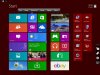
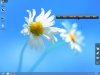
I've seen this while viewing a Mac as well. The iPad selection pins appear around areas that have the same color as the Highlight color that you choose in the Appearance preferences pane of the System Preferences.app.
If Windows is the same, then changing the color of "Selected Items" in "Window Color and Appearance" may affect what you're seeing.
Control Panel\Appearance and Personalization\Personalization\Window Color and Appearance -> Advanced appearance settings...
It's not a cure though - the selection pins will just appear around areas of a different color, but that different color may be more rare than the default blue color. Another problem with this fix is that the new highlight color might not be as preferable as the default color.
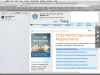
The attached screenshot shows a couple examples. if the highlight color is blue, and you click Clear All in the Reading List pane of Safari, then the selection pins dance around the "Clear" button of the "Are you sure you want to clear your Reading List?" dialog. The selection pins dance around because the Clear button is changing color slightly (it pulses like most Apple dialog buttons). Also, the heading text with the blue background on the web page shown in the screen shot will make the selection pins appear even though no text is selected.
It would be nice to be able to disable this feature, in the case where you're using an app where the selection pins appear inappropriately, until such time as this feature can be made to work perfectly which might be never. An option like that is not unprecedented; for example, there is an option to disable the automatic showing of the keyboard which is handy when you're using an app where the keyboard appears inexplicably at every tap of the iPad screen (such as in games like World of Warcraft).
If Windows is the same, then changing the color of "Selected Items" in "Window Color and Appearance" may affect what you're seeing.
Control Panel\Appearance and Personalization\Personalization\Window Color and Appearance -> Advanced appearance settings...
It's not a cure though - the selection pins will just appear around areas of a different color, but that different color may be more rare than the default blue color. Another problem with this fix is that the new highlight color might not be as preferable as the default color.
The attached screenshot shows a couple examples. if the highlight color is blue, and you click Clear All in the Reading List pane of Safari, then the selection pins dance around the "Clear" button of the "Are you sure you want to clear your Reading List?" dialog. The selection pins dance around because the Clear button is changing color slightly (it pulses like most Apple dialog buttons). Also, the heading text with the blue background on the web page shown in the screen shot will make the selection pins appear even though no text is selected.
It would be nice to be able to disable this feature, in the case where you're using an app where the selection pins appear inappropriately, until such time as this feature can be made to work perfectly which might be never. An option like that is not unprecedented; for example, there is an option to disable the automatic showing of the keyboard which is handy when you're using an app where the keyboard appears inexplicably at every tap of the iPad screen (such as in games like World of Warcraft).
Its funny to see that in your example there is text and on my desktop shot its just the color but only in a certain area. But if they are selecting text via color then thats a bad idea in itself.
Yes, they are you using something other than just color to determine if a selection has been made. For example, viewing a screenshot of a problem scenario does not cause the selection pins to appear. I don't know all the information they use or is available to use. Maybe they could use the enable states of the Edit menu commands (copy, paste, etc) to determine if those commands are even available. That won't work if the state of the edit menu commands is only knowable at the time the user observes the edit menu (quantum physics of programming) or if the program doesn't use the edit menu for its Copy and Paste abilities. Maybe they could change the highlight color quickly to see if a selection is actually a selection without showing that color change on the iPad side. That won't work if it's too slow.
P
Parallels User
I too have this issue with broken test selection...Any solution yet?