build 3186 - can't activate coherence mode

Amnion

Bit poster
Hello,

i can't activate the coherence mode in current stable localized version.
I upgraded from 1780 in which the VM hdd was set up.

I reinstalled parallel tools several times, but it seems there is no coherence support.
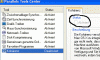
I have the tab "Kohärenz" in parallel tools, but the check box is grayed so i can't turn it on.
Parallel Tools Version is build 3186 (27.2.07).
Mounting the parallel tools there are only the directories:
ClipBrd
|-OS2
Drivers
|-Mouse
|-Network
|-SOUND
|-Video

So no coherence driver?

thx in advance for any hints
Amnion
 
Open your Windows control panel and select the software install/uninstall tool, select Parallels tools, and choose the support information link. The version number should be 2.5.3186.
 
dkp said:
Open your Windows control panel and select the software install/uninstall tool, select Parallels tools, and choose the support information link. The version number should be 2.5.3186.

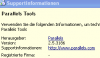
The version number is correct.
But why the check box is grayed ?

Thx again
Amnion
 
Nobody the problem ?
i attached some shots.

regards,
Amnion
 

Attachments

  • Bild 2.gif
    Bild 2.gif
    22.5 KB · Views: 12
  • Bild 3.png
    Bild 3.png
    8 KB · Views: 9
i actually downloaded the english version and installed only the parallel tools from it in my vm. It does the job.

So the german localized version is buggy !!!
 
Confirm problem in German version

Hi,
I can confirm the problem in the German version of build 3186. The file cohrence.exe is missing in the Parallels Tools folder. I hope there will be a fix for this.
 
Last edited:
if u cant get coherence to activate, you can try..

Launch Parallels, and start Windows.

Click Start menu, select Run...

Enter the following in the Run dialog box (this will stop the Coherence service and remove it from the service list...it doesn't actually delete the program, so fear not):
Code:

sc delete cohrence


Reboot Windows

Click the Start menu, select Run...

Enter the following in the Run dialog box (with quotes):
Code:

"c:\program files\parallels\parallels tools\cohrence.exe" install


Seems Parallels has a typo in their executable name (note the misspelled cohrence.exe file)
 
darkone said:
if u cant get coherence to activate, you can try..

Launch Parallels, and start Windows.

Click Start menu, select Run...

Enter the following in the Run dialog box (this will stop the Coherence service and remove it from the service list...it doesn't actually delete the program, so fear not):
Code:

sc delete cohrence


Reboot Windows

Click the Start menu, select Run...

Enter the following in the Run dialog box (with quotes):
Code:

"c:\program files\parallels\parallels tools\cohrence.exe" install


Seems Parallels has a typo in their executable name (note the misspelled cohrence.exe file)

@darkone:

Thank you for your help, but this does not work since the executable cohrence.exe is missing. (At least in the German build)
 
Back
Top