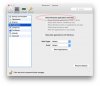
C API: Enable/Disable "Share Windows applications with Mac"

Hi, Rickard!
I've found it out and unfortunately, there is no SDK functions to manage these options. I hope, it will be done in one of coming update releases of Parallels Desktop 10..

So now these options can be switched only by GUI or by manually editing the "<path_to_vm>/config.xml" file (section "SharedApplications").
The last way is not recommended because this configuration file is editing automatically and the XML model ​​can be different between Parallels Desktop releases.
 
Last edited by a moderator:
Modifying options "Share Windows applications with Mac" and "Share Mac applications with Windows" via "prlctl" has been implemented in Parallels Desktop 10.1.2:
Code:
prlctl set <vm_uuid> --sh-app-guest-to-host <on|off>
prlctl set <vm_uuid> --sh-app-host-to-guest <on|off>

Function names in C API: "PrlVmCfg_SetSharedAppsGuestToHost", "PrlVmCfg_SetSharedAppsHostToGuest" (File: PrlApiVm.h)

P.s. You can update PD by clicking on the top menu "Parallels Desktop -> Check for Updates...", either download and install the latest build by this link: http://www.parallels.com/directdownload/pd10/
New version of Parallels Virtualization SDK is available by this link: http://www.parallels.com/download/pvsdk/
 
Back
Top