I run Yosemite 10.10.5 on late 2009 iMac. This OS X version allows crucial and unique non Apple software to run. Any later OS X version will not.
I bought new iMac late 2019 which runs OS X High Sierra 10.13.6.. This OS X version will not allow me to run Yosemite installers (version too old).
So I purchased Parallels Desktop 15.1.3 so that I could install Yosemite as guest OS X inside Parallels. I created a partition of 500GB in which to install Yosemite so that, using System Preferences/Startup Disk, I could select Yosemite partition as startup disk and reboot.
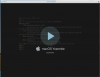
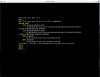
When Parallels opens, it displays 2 screens, first the "macOS Yosemite suspended" screen - then this "Terminal" app type screen.
No further prompts, links or advice is offered by Parallels.
Please advise is my guess OS plans feasible?
Sincerely, PaulC38
I bought new iMac late 2019 which runs OS X High Sierra 10.13.6.. This OS X version will not allow me to run Yosemite installers (version too old).
So I purchased Parallels Desktop 15.1.3 so that I could install Yosemite as guest OS X inside Parallels. I created a partition of 500GB in which to install Yosemite so that, using System Preferences/Startup Disk, I could select Yosemite partition as startup disk and reboot.
When Parallels opens, it displays 2 screens, first the "macOS Yosemite suspended" screen - then this "Terminal" app type screen.
No further prompts, links or advice is offered by Parallels.
Please advise is my guess OS plans feasible?
Sincerely, PaulC38