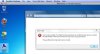
I have Parallels 6 installed on a MacBook Pro (320 GB; 2.66 GHz; 4 GB DDR3), also running Windows 7 Home Premium as the VM OS. When I try to open the Shared Folders icon on the desktop I get a window saying the folder is "not accessible" (please see screen shot of the error message below). Parallels is running with the latest updates.
If anyone knows how to remedy this and get me into the Shared Folders I would be most appreciative. Thanks for any suggestions, advice, comments, etc.
If anyone knows how to remedy this and get me into the Shared Folders I would be most appreciative. Thanks for any suggestions, advice, comments, etc.