In the past, i have had the list of windows drives available in Finder. After a reboot they are no longer showing either there or in the /Volumes/ directory. Unable to access these drives or folders at all and I have tried everything.
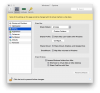
Mac folders are shared in windows, but not the other way around. I am on Yosemite 10.10.4 running Windows 7 on Parallels 10. All the appropriate config items are checked as far as i can tell (attached). This is extremely frustrating so any help i can get would be greatly appreciated.
Mac folders are shared in windows, but not the other way around. I am on Yosemite 10.10.4 running Windows 7 on Parallels 10. All the appropriate config items are checked as far as i can tell (attached). This is extremely frustrating so any help i can get would be greatly appreciated.