Dear all,
I have following problem:
Yesterday I installed Parallel 10 and Win 7 Prof on my iMac. Everything is fine. Unfortunately there is one point which I do mot under stand. After installing everything I am not able to change the standard web browser. When I drag an url from Safari to my desktop (Mac) than the iexplore icon (with parallel symbol) appears. But when I double click ... the page is correctly opened in Safari.
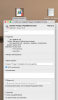
But in the end I cannot change the standard program regarding web browsing at all (mac area and/or win area). It seems I do not have permission to change this (please see screenshot). Can anyone help in this matter ?
Best regards,
Sebastian
I have following problem:
Yesterday I installed Parallel 10 and Win 7 Prof on my iMac. Everything is fine. Unfortunately there is one point which I do mot under stand. After installing everything I am not able to change the standard web browser. When I drag an url from Safari to my desktop (Mac) than the iexplore icon (with parallel symbol) appears. But when I double click ... the page is correctly opened in Safari.
But in the end I cannot change the standard program regarding web browsing at all (mac area and/or win area). It seems I do not have permission to change this (please see screenshot). Can anyone help in this matter ?
Best regards,
Sebastian