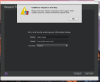
Cannot even get a trial. Check network connection?

MichaelS28

Bit poster
Wow...I don't remember Parallels being such a hassle to deal with. Cannot activate my account and now I cannot even get a trial because it says I do not have a network connection. Yet....I am typing this via my network connection.
 
Hi @MichaelS28
The Parallels Engineering Team is aware of this issue and working on the resolution. To supply them with the information needed to hasten this process follow these steps:

  1. Open Terminal (Finder - Applications - Utilities - Terminal)

  2. Insert the following commands one by one and hit return/Enter after each:

    ls -lOae@ /private/var/root/Library/Preferences/com.parallels.desktop.plist
    ls -lOae@ /private/var/root/Library/Preferences
    ls -lOae@ /private/var/root/Library
    ls -lOae@ /private/var/root
    ls -lOae@ /private/var
    ls -lOae@ /private
    ls -lOae@ /

  3. Copy the output of these commands to some text file and share it with Parallels Desktop Support Team.
Workaround
Only after processing the steps above execute the following Terminal command:
sudo rm -rfd /private/var/root/Library/Preferences/com.parallels.desktop.plist
Type in your Mac password.
NOTE:
No symbols will be shown due to security measures, so just hit the keys and use return/Enter.
 
Screen Shot 2017-01-05 at 11.00.23 AM.png Hello,
I have to recover data on an OLD mac....
installed was a licenced parallels desktop 3....and macos 10.5.8.
The mac has been udatet to macos 10.7.5 and Parallels desktop too old to run with macos 10.7.5....(bad luck)
I downloaded version 9 and wanted to get a trail key, that at least i can recover data from this windows install.
I get this error message while asking for a trail key for 14 days.:

Unable to request a trail key.
please check your network connection and try again.if problem persist contact the parallels support team.

I'm on the network, no trouble at all, and the above description....i dont know about all this commands...AND
..... Copy the output of these commands to some text file and share it with Parallels Desktop Support Team.
but how to share???:.... there is no email adress, phone number, nada...on this webpage...

Who can take care of it
thanks for a solution
Hans
 
View attachment 12051 Hello,
I have to recover data on an OLD mac....
installed was a licenced parallels desktop 3....and macos 10.5.8.
The mac has been udatet to macos 10.7.5 and Parallels desktop too old to run with macos 10.7.5....(bad luck)
I downloaded version 9 and wanted to get a trail key, that at least i can recover data from this windows install.
I get this error message while asking for a trail key for 14 days.:

Unable to request a trail key.
please check your network connection and try again.if problem persist contact the parallels support team.

I'm on the network, no trouble at all, and the above description....i dont know about all this commands...AND
..... Copy the output of these commands to some text file and share it with Parallels Desktop Support Team.
but how to share???:.... there is no email adress, phone number, nada...on this webpage...

Who can take care of it
thanks for a solution
Hans
Dear Hans,
Unfortunately, we offer trial version only to the latest version which is Parallels Desktop 12 for Mac. You can check with our resellers like Amazon, BestBuy to see if they still offer Parallels Desktop 9 for Mac.
 
i need only a trial licence to recover data from the windows install which i cannot see anymore...
this mac will be never used again afterwards with windows and parallels
Is there NO WAY to get a trial serial number. on my other mac i have parallels 12 installed and payed for a licence,
it's just to recover some important data
 
Back
Top