Hi,
I have a problem:
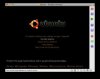
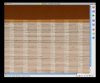
Whenever I try to install Ubuntu 8.04 with Parallels (Mac OS X Leopard), I get a normal install screen, the loading Bar with the Ubuntu Logo, but as soon as I get to anything resembling the Desktop in Ubuntu (you can make out the orange Background), my Screen is completely scrambled like a graphic error. I can see the mouse move, I can enter my username / pw (by just typing and hitting enter) and the desktop loads but I cannot really make out anything because the graphics is just scrambled (horizontally).
This happens with:
* Ubuntu "Live" CD Iso image
* Ubuntu Install from Live image
* Ubuntu Install from Alternate image (text based installer) - installation is fine - as soon as desktop loads: Scrambled
I have tried so far:
* The VGA=790 Parameter
* Setting different Memory (256, 372, 512 MB) for the VM
* Using different VM install setups (Ubuntu, Linux Kernel 2.6, Custom...)
* Disabling Audio before installation
* 2 Different ISOs (see above)
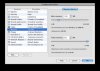
* Changing Setting for "Allow custom Resolution"
No luck.
I have a MacMini Intel Dual Core with the 2.0 GHZ processor, 2GB RAM and 120GB HD.
The monitor is a 40'' LCD TV - Resolution under MacOS is 13xx * xxx (Widescreen, can't remember exact values right now) - both XP and Vista run absolutely fine in a resizable Window or in Coherence.
Alternatively, I have downloaded and installed the VirtualBox from SUN and have tried it there - Ubuntu runs without any problems. But as I really like the Parallels features and have WinXP/Vista running with it no problem I would like to get it working with Parallels as well.
I have looked everywhere and I seem to be the only one with this problem - I could not find any other post or report of this problem anywhere. Please help.
I will attach a screenshot later on.
Thank you,
Joe
I have a problem:
Whenever I try to install Ubuntu 8.04 with Parallels (Mac OS X Leopard), I get a normal install screen, the loading Bar with the Ubuntu Logo, but as soon as I get to anything resembling the Desktop in Ubuntu (you can make out the orange Background), my Screen is completely scrambled like a graphic error. I can see the mouse move, I can enter my username / pw (by just typing and hitting enter) and the desktop loads but I cannot really make out anything because the graphics is just scrambled (horizontally).
This happens with:
* Ubuntu "Live" CD Iso image
* Ubuntu Install from Live image
* Ubuntu Install from Alternate image (text based installer) - installation is fine - as soon as desktop loads: Scrambled
I have tried so far:
* The VGA=790 Parameter
* Setting different Memory (256, 372, 512 MB) for the VM
* Using different VM install setups (Ubuntu, Linux Kernel 2.6, Custom...)
* Disabling Audio before installation
* 2 Different ISOs (see above)
* Changing Setting for "Allow custom Resolution"
No luck.
I have a MacMini Intel Dual Core with the 2.0 GHZ processor, 2GB RAM and 120GB HD.
The monitor is a 40'' LCD TV - Resolution under MacOS is 13xx * xxx (Widescreen, can't remember exact values right now) - both XP and Vista run absolutely fine in a resizable Window or in Coherence.
Alternatively, I have downloaded and installed the VirtualBox from SUN and have tried it there - Ubuntu runs without any problems. But as I really like the Parallels features and have WinXP/Vista running with it no problem I would like to get it working with Parallels as well.
I have looked everywhere and I seem to be the only one with this problem - I could not find any other post or report of this problem anywhere. Please help.
I will attach a screenshot later on.
Thank you,
Joe
Last edited: