Cant Activate Upgrade to Parallels 12 Desktop for Mac

GailB1

Bit poster
Hi there - I can't activate the Parallels 12 I just upgraded to.
I enter my key, it then asks me to enter previous key - I do this and it initially ticks it; I click ACTIVATE and it stays stuck on this screen, tick disappears and I only have GO BACK or upgrade to Pro option.
What do I need to do??
 
Last edited:
Hello GailB1,
The upgrade to Parallels Desktop 12 for Mac is supported only from Parallels Desktop 10 for Mac & Parallels Desktop 11 for Mac. If your previous version key is for Parallels Desktop 9 or earlier, you will have to purchase a full license for Parallels Desktop 12 for Mac. Check this link for more info. Thanks.
 
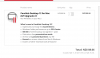
not true: parallels 8/9 upgrade to 12 exists:Screen Shot 2016-10-20 at 12.45.30 PM.png
 

Attachments

  • Screen Shot 2016-10-20 at 12.45.30 PM.png
    Screen Shot 2016-10-20 at 12.45.30 PM.png
    179.3 KB · Views: 0
Hi AnneM2,
Upgrade to Parallels Desktop 12 can be done from Parallels Desktop 10/11 as mentioned in this article [check the supported versions], but as an exception we have sent a link to Parallels Desktop 8/9 customers via email with that they can purchase Parallels Desktop 12 full version at the price of upgrade. This link is not available on our direct website, only customers who received this link can use it. Also, activation of Parallels Desktop 12 keys purchased using this link will not require you to enter previous version key but a normal upgrade will require a previous version installed or a key for verification.
 
Back
Top