Can't create VM from bootcamp partition.

WilliamW3

Bit poster
Hi all,

I have been running windows 10 in bootcamp and have had a VM from parallels for some time. It's been working well until recently I tried to boot the VM and it gave me an error (don't remember what it was). I deleted the VM thinking I'd recreate it but now I don't have the option to create a VM from bootcamp.

I can still boot into bootcamp itself (and it runs perfectly well), but I cannot create a VM from it. So far I have tried running disk utility from OS X and booting into it via command-r, neither of those recognizes a bootcamp partition to repair though when looking at the HD it does mention Win10 has a partition (it's just not selectable on the left hand column of the screen). I've also tried running chkdsk from win 10 and it has not found any errors.

Thank you for your help! Specs below.

Macbook pro mid 2012 15"
OS X: 10.11.6
Parallels: 11.2.3
Win 10
 
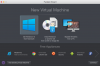
Sure! The option for creating windows VM from the wizard is just not available like it used to be. There used to be an option for creating VM from the bootcamp partition.
 

Attachments

  • Screen Shot 2017-06-10 at 8.57.20 AM.png
    Screen Shot 2017-06-10 at 8.57.20 AM.png
    117.4 KB · Views: 20
There used to be an option for creating VM from the bootcamp partition.
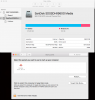
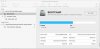
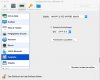
Please open Disk Utility (Finder -> Go -> Utilities -> Disk Utility) and Startup Disk (Apple Icon -> System Preferences -> Startup Disk). Does your boot camp partition appear in both of the said locations?
 
It does not. You can see the partition on the disk utility, but there isn't an option to select it from the left hand column.
 

Attachments

  • Screen Shot 2017-06-10 at 9.44.34 AM.png
    Screen Shot 2017-06-10 at 9.44.34 AM.png
    127.6 KB · Views: 29
It does not.
The boot camp partition must appear in both of the aforementioned locations. This is the first prerequisite for creating a boot camp virtual machine under Parallels Desktop. If it doesn't, then it's an issue with the Mac OSX. So, please contact Apple support for resolving this issue before attempting creation of a boot camp virtual machine.
 
Hi

I am having the exact same issue, however I can see bootcamp in both disk utilities and able to select them.

Any suggestions on how to recreate the VM would be greatly appreciated.

Thanks

Trev
 
This is not only a problem of recreation an existing VM. Parallels do not find the bootcamppartition in case of creating a new vm corresponding to bootcamppartition.
Theres no possibility to select the Partition in Wizard.
It is depending to the upgrade of MacOSX to High Sierra.
 
Schnappschuss (2017-10-21 11.52.12).jpgSchnappschuss (2017-10-21 11.53.39).jpg
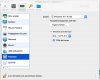
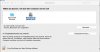
This is the new Situation. Bootcamp is not shown in Dropdown of 'Quelle'.!!
Schnappschuss (2017-10-21 11.57.03).jpg
It should look like this (the existing Bootcamp VM, konfigured in El Captain); but it is not able to start:
Schnappschuss (2017-10-21 11.59.15).jpg
This is a bug which has to be solved by our russian friends ;-)
 
Additional the snapshot of startup-selection:
Schnappschuss (2017-10-21 12.08.41).jpg
Bootcamp is running smooth with newest WIN 10 Pro; MacOSX High Sierra an the newest version of parallels...
Any ideas?
 
Hi

I am having the exact same issue, however I can see bootcamp in both disk utilities and able to select them.

Any suggestions on how to recreate the VM would be greatly appreciated.

Thanks

Trev
I have been able to resolve my issue by upgrading to Version 13 (i downloaded a trial and am working with that at the moment to see how it performs / if my issue is truly resolved, but at this stage (45 minutes in it looks good).

***Update: 24 hours in and still good.***

Trev
 
Last edited:
Hi, I'm working with newest Version and had already one update... But Parallels don't find the bootcamp partition at all...
Schnappschuss (2017-10-23 21.01.31).jpg
 
Back
Top