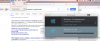
In Control Center I have two VMs that failed to finish installing because of network problems, and now I can't figure out how to delete them.
Control click brings up no pop-up and using the file menu only give a delete option with my normal VM, but not with the two failed installations.
Do I have to go into the Application Support folder and delete something?
Control click brings up no pop-up and using the file menu only give a delete option with my normal VM, but not with the two failed installations.
Do I have to go into the Application Support folder and delete something?