I had the same problem. In the end I found a solution that did not require removal of the recovery partition, but did require a third party tool because the issue is mainly caused bij how windows manages the disk (in a terribly old-fashioned way imho).
This solves the issue for native windows machines, and for windows 10 running in a VM it also does the trick, as I can confirm.
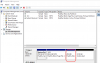
I started out with the sandwiched C partition, so it looked liked this:
System Reserved (350 MB) | C: (63,22 GB) | Recovery (450 MB) | Unallocated (64 GB)
C: had to be extended using the unallocated part. I used the tool described here:
https://www.tenforums.com/general-s...-c-drive-extend-volume-button-greyed-out.html
and ended up with this configuration:
System Reserved (350 MB) | C: (127,22 GB) | Recovery (450 MB)
A very happy camper indeed.
(Don't forget to click apply on the top left in the 3rd party tool, as I did the first time...)
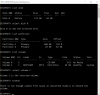
P.S.: When I used the control center/configure/hardware/hard disk to allocate more storage to the VM, I did not even have the Resize file system checkbox. Not just greyed out, it was simply not there. The location of the hard disk settings also seem to be different compared to
http://kb.parallels.com/113972
Does this have anything to do with a different version and therefore configuration structure in parallels?