can't find vm

  • Thread starter Thread starter Parallels User
  • Start date Start date
P

Parallels User

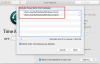
hi everyone, I have (or had) a parallels vm on my Mac and I recently did a restore from Sierra back to El Capitain. Everything restored just fine (only went back a week) but i cannot get my VM to fire up. I had the vm for around a year and i used time machine for my backup. I am assuming the file was backed up somewhere but i cannot find it. I also tried to go into TM and look just for the file and do a restore that way. When i get the error message I try to locate it but the folder is empty. Any ideas on how i can get this back? I am assuming TM would back up the file. thanks

PS this is Parallels 12 Pro edition
 

Attachments

  • Screen Shot 2017-05-11 at 12.42.36 PM.png
    Screen Shot 2017-05-11 at 12.42.36 PM.png
    45.5 KB · Views: 4
  • Screen Shot 2017-05-11 at 12.42.46 PM.png
    Screen Shot 2017-05-11 at 12.42.46 PM.png
    46.4 KB · Views: 4
Last edited by a moderator:
hi everyone, I have (or had) a parallels vm on my Mac and I recently did a restore from Sierra back to El Capitain. Everything restored just fine (only went back a week) but i cannot get my VM to fire up. I had the vm for around a year and i used time machine for my backup. I am assuming the file was backed up somewhere but i cannot find it. I also tried to go into TM and look just for the file and do a restore that way. When i get the error message I try to locate it but the folder is empty. Any ideas on how i can get this back? I am assuming TM would back up the file. thanks

PS this is Parallels 12 Pro edition
Hi @DavidS26, by default Time Machine backup is enabled in Parallels Desktop. Please choose the date for the backup to be restored, locate the '.pvm' file from Time Machine backup (Mac HD/Users/Shared/Parallels (location by default))
 
I found the problem. I excluded the .pvm file from TM. dang it
 

Attachments

  • Screen Shot 2017-05-14 at 8.19.08 PM.png
    Screen Shot 2017-05-14 at 8.19.08 PM.png
    70.7 KB · Views: 5
so i created another vm slice and everything is business as usual. I want to backup the .pvm file on a monthly basis now, I can automate this but does the vm need to be shut down to back up the file? I leave my vm running 24/7 so i would need to have a tool shut it down and bring it back up if this is the case. What is the norm around here? thanks
 
so i created another vm slice and everything is business as usual. I want to backup the .pvm file on a monthly basis now, I can automate this but does the vm need to be shut down to back up the file? I leave my vm running 24/7 so i would need to have a tool shut it down and bring it back up if this is the case. What is the norm around here? thanks
Hi @DavidS26, yes. You have to shut down your virtual machine before the manual or auto backup. Unfortunately, there is no tool to stop the virtual machine on monthly basis.
 
Back
Top