When I try to install the 3846 update, I get the message that some component is missing. If I try to open the disk image, I get the error 'codec overun'. I have download the updater twice manually after it initially downloaded automatically. I'm running 10.5.8 on a MacPro and the program itself seems to run fine with Windows XP, 7 and Ubuntu.

Install the app
How to install the app on iOS
Follow along with the video below to see how to install our site as a web app on your home screen.
Note: This feature may not be available in some browsers.
You are using an out of date browser. It may not display this or other websites correctly.
You should upgrade or use an alternative browser.
You should upgrade or use an alternative browser.
Can't install 3846 update
- Thread starter JoeG
- Start date
Southern_sky
Bit poster
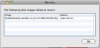
Having similar problem - "resource busy"
Hi,
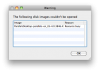
I get a similar problem - when I double-click the .dmg, I get a 'resource busy' error (see screengrab).
Is it just a corrupt file? I don't really want to download it again, if it will have the same result.
thanks
Hi,
I get a similar problem - when I double-click the .dmg, I get a 'resource busy' error (see screengrab).
Is it just a corrupt file? I don't really want to download it again, if it will have the same result.
thanks
Attachments
Hello,
Please follow these steps in regards to the issue:
Restart MAC, don't start any applications. Uninstall Parallels Desktop using the .dmg file:
http://www.parallels.com/download/desktop/
Now, please follow these steps :
1. Open Finder.
2. Go to Applications/Utilities/Disk Utilities.
3. Choose MAC HD.
4. Choose repair disk permissions.
After running the repair disk permissions , restart the computer. Install Parallels Desktop.
http://kb.wisc.edu/helpdesk/page.php?id=3810
Please follow these steps in regards to the issue:
Restart MAC, don't start any applications. Uninstall Parallels Desktop using the .dmg file:
http://www.parallels.com/download/desktop/
Now, please follow these steps :
1. Open Finder.
2. Go to Applications/Utilities/Disk Utilities.
3. Choose MAC HD.
4. Choose repair disk permissions.
After running the repair disk permissions , restart the computer. Install Parallels Desktop.
http://kb.wisc.edu/helpdesk/page.php?id=3810
This is a joke! I have been instructed to turn off the firewall in my router because it is causing corruption of the download. I have been using Macs since 1984 and have NEVER been asked to modify my firewall for ANY download before. This is a very wrong and unprofessional request. Why has no download before been corrupted by the firewall? Why has Parallels programmers produced a download that requires the fiewall to be disabled unless there is something nefarious going on? This is at best, bad practice and at worst reprehensible!
Migre Gremy
Bit poster
Can't install update 3846
I've been having a similar problem installing the update 3846.
I get the set up wizard ok, but after clicking next, the program just stops and nothing happened.
After a while the installation wizard pops up again, but it stops working.
This goes on and on.
I really could use some help with this guys...
Thanks!
I've been having a similar problem installing the update 3846.
I get the set up wizard ok, but after clicking next, the program just stops and nothing happened.
After a while the installation wizard pops up again, but it stops working.
This goes on and on.
I really could use some help with this guys...
Thanks!
Hello,
Please refer to the links below:
http://forums.macrumors.com/showthread.php?t=424494
http://macosx.com/forums/mac-os-x-system-mac-software/307173-codec-overrun.html
Most of the customers have faced similar kind of problem and there issue is resolved by turning off Firewall (in the router settings).
Please refer to the links below:
http://forums.macrumors.com/showthread.php?t=424494
http://macosx.com/forums/mac-os-x-system-mac-software/307173-codec-overrun.html
Most of the customers have faced similar kind of problem and there issue is resolved by turning off Firewall (in the router settings).
There seems to be another way
I have been through the same experience where the download is done, but the Installer crashes before it can do the installation. I tried Repairing Permissions and disabling the Firewall on my Mac, and restarting, but that did not help. I cannot find a firewall on my router to turn off.
Then I remembered that the download had been saved to my Download file. So I went there, found the download as a .dmg file, and double clicked to do an install. That worked at last.
In any case, this is a bug that Parallels should fix ASAP.
I have been through the same experience where the download is done, but the Installer crashes before it can do the installation. I tried Repairing Permissions and disabling the Firewall on my Mac, and restarting, but that did not help. I cannot find a firewall on my router to turn off.
Then I remembered that the download had been saved to my Download file. So I went there, found the download as a .dmg file, and double clicked to do an install. That worked at last.
In any case, this is a bug that Parallels should fix ASAP.