I keep getting an error when installing Parallel Tools that takes me to http://kb.parallels.com/111730. I tried manually installing them and get the same thing. When I tried the Hardest method to manually install them it says that method isn't support for Bootcamop

Install the app
How to install the app on iOS
Follow along with the video below to see how to install our site as a web app on your home screen.
Note: This feature may not be available in some browsers.
You are using an out of date browser. It may not display this or other websites correctly.
You should upgrade or use an alternative browser.
You should upgrade or use an alternative browser.
Can't install Parallel Tools on Win10 Bootcamp
- Thread starter Les1
- Start date

Guna@Parallels
Parallels Support
Hi @Les1I keep getting an error when installing Parallel Tools that takes me to http://kb.parallels.com/111730. I tried manually installing them and get the same thing. When I tried the Hardest method to manually install them it says that method isn't support for Bootcamop
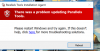
Please share a few screenshot with us, we'll check and help you out. Also, please generate a Problem Report ID for deeper investigation

P
Pradeep@Parallels
Hello Les1, assign virtual machine RAM to 2GB and check if there is any antivirus installed in your Windows virtual machine if so then try to uninstall it and reinstall Parallels tools and let us know if it goes through.Also, when I get past the above error and try to install Parallel Tools in Win10 Bootcamp, I get the following error report - 120122165. This was generated after the tools failed to load at 69% with the attached screen.

Dinesh@Parallels
Guest
Hello @Les1
Please take a snapshot to be secured from all unwanted changes in the virtual machine. When solution is applied successfully, please delete snapshot.
Please take a snapshot to be secured from all unwanted changes in the virtual machine. When solution is applied successfully, please delete snapshot.
- Open Windows registry: Press Win+R -> type "regedit" -> hit Enter.
- Highlight HKEY_LOCAL_MACHINE- > File -> Load Hive -> specify "c:\windows\system32\config\drivers" -> name key somehow (say 'LoadedHive')
- Edit -> Find, specify the name of the driver (e.g. "prl_dd").
- Delete all entries of prl_dd in the 'LoadedHeave' branch. (Note: you will need to change owner of the branch and give it permissions 'Full Control').
- Restart virtual machine and install Parallels Tools.

ChristopherC3
Bit poster
I have the same issue. I have Windows 10 on a Boot Camp partition and I can get to Windows 10 OS if I bounce the box and load windows directly instead the Mac OS. I just can't get Parallels Desktop on the Mac OS to start the the Windows 10. I think I need a .pvm file - not sure what that is or where it should be.
I wish that "new virtual machine" screen would give more information with the "Add Existing Virtual Machine" option.
I wish that "new virtual machine" screen would give more information with the "Add Existing Virtual Machine" option.

Maria@Parallels
Problem solver
Did you get this issue before?My issue is I can't install Parallel Tools on the VM. I can start the Bootcamp VM....I just can't install Parallel Tools.
Also did you receive any error? (instead of installation crashing)
Dinesh@Parallels
Guest
Dinesh@Parallels
Guest
Looking at the parallels-setup.log, it is failing on
2016-10-06 17.34.49 : INSTALLMESSAGE_ERROR: Failed to install driver prl_boot
I've attached my parallels-setup.log and parallels-tools-setup.xxxx.log. I had to add a .txt extension so they could be uploaded.
Hopefully we can resolve this in 4 days......that's when my trial expires.
Well, my trial period has expired. Is there any way to extend it while you try to fix my problem or am I just out of luck.
2016-10-06 17.34.49 : INSTALLMESSAGE_ERROR: Failed to install driver prl_boot
I've attached my parallels-setup.log and parallels-tools-setup.xxxx.log. I had to add a .txt extension so they could be uploaded.
Hopefully we can resolve this in 4 days......that's when my trial expires.
Well, my trial period has expired. Is there any way to extend it while you try to fix my problem or am I just out of luck.
Attachments
Last edited:
Hey Les did you end up finding a fix for this i know its a long shit from so long ago hahaSo no more support for me on this?
Len Mizutowicz
Junior Member
I have the same exact problem, with no resolution from Parallels.