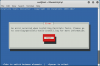
After the ./install command, I got the message in the attached image. And here is the .log file : (Contents of CD is on the Desktop in /pt/pt file)
What should I do?
Hit:1 http://kali.mirror.garr.it/mirrors/kali kali-rolling InRelease
Reading package lists...
Return code from apt-get update is 0
2017-12-08T00:58:25+0300: execCmd: ./installer/pm.sh --install gtools --logfile /var/log/parallels-tools-install.log [0]
Started installation of Parallels Guest Tools version '12.2.1.41615'
Fri 8 Dec 00:58:25 +03 2017
Start installation or upgrade of Guest Tools
new version of parallels tools
Installed Guest Tools were not found
Perform installation into the /usr/lib/parallels-tools directory
cat: /usr/lib/parallels-tools/kmods/../version: No such file or directory
Start installation of prl_eth kernel module
make: Entering directory '/usr/lib/parallels-tools/kmods'
cd prl_eth/pvmnet && make
make[1]: Entering directory '/usr/lib/parallels-tools/kmods/prl_eth/pvmnet'
make -C /lib/modules/4.14.0-kali1-686-pae/build M=/usr/lib/parallels-tools/kmods/prl_eth/pvmnet
make[2]: Entering directory '/usr/src/linux-headers-4.14.0-kali1-686-pae'
AR /usr/lib/parallels-tools/kmods/prl_eth/pvmnet/built-in.o
CC [M] /usr/lib/parallels-tools/kmods/prl_eth/pvmnet/pvmnet.o
LD [M] /usr/lib/parallels-tools/kmods/prl_eth/pvmnet/prl_eth.o
Building modules, stage 2.
MODPOST 1 modules
CC /usr/lib/parallels-tools/kmods/prl_eth/pvmnet/prl_eth.mod.o
LD [M] /usr/lib/parallels-tools/kmods/prl_eth/pvmnet/prl_eth.ko
make[2]: Leaving directory '/usr/src/linux-headers-4.14.0-kali1-686-pae'
make[1]: Leaving directory '/usr/lib/parallels-tools/kmods/prl_eth/pvmnet'
cd prl_tg/Toolgate/Guest/Linux/prl_tg && make
make[1]: Entering directory '/usr/lib/parallels-tools/kmods/prl_tg/Toolgate/Guest/Linux/prl_tg'
make -C /lib/modules/4.14.0-kali1-686-pae/build SUBDIRS=/usr/lib/parallels-tools/kmods/prl_tg/Toolgate/Guest/Linux/prl_tg SRCROOT=/usr/lib/parallels-tools/kmods/prl_tg/Toolgate/Guest/Linux/prl_tg modules
make[2]: Entering directory '/usr/src/linux-headers-4.14.0-kali1-686-pae'
grep: /lib/modules/4.14.0-kali1-686-pae/build/include/linux/completion.h: No such file or directory
CC [M] /usr/lib/parallels-tools/kmods/prl_tg/Toolgate/Guest/Linux/prl_tg/prltg.o
In file included from /usr/lib/parallels-tools/kmods/prl_tg/Toolgate/Guest/Linux/prl_tg/prltg.c:38:0:
/usr/lib/parallels-tools/kmods/prl_tg/Toolgate/Guest/Linux/prl_tg/prltg_compat.h: In function 'wait_for_completion_interruptible':
/usr/lib/parallels-tools/kmods/prl_tg/Toolgate/Guest/Linux/prl_tg/prltg_compat.h:135:3: error: implicit declaration of function '_add_wait_queue_tail'; did you mean '_add_wait_queue'? [-Werror=implicit-function-declaration]
__add_wait_queue_tail(&c->wait, &w);
^~~~~~~~~
__add_wait_queue
/usr/lib/parallels-tools/kmods/prl_tg/Toolgate/Guest/Linux/prl_tg/prltg_compat.h:137:8: error: implicit declaration of function 'signal_pending'; did you mean 'timer_pending'? [-Werror=implicit-function-declaration]
if (signal_pending(current)) {
^~~~~~
timer_pending
cc1: some warnings being treated as errors
/usr/src/linux-headers-4.14.0-kali1-common/scripts/Makefile.build:319: recipe for target '/usr/lib/parallels-tools/kmods/prl_tg/Toolgate/Guest/Linux/prl_tg/prltg.o' failed
make[5]: * [/usr/lib/parallels-tools/kmods/prl_tg/Toolgate/Guest/Linux/prl_tg/prltg.o] Error 1
/usr/src/linux-headers-4.14.0-kali1-common/Makefile:1520: recipe for target 'module/usr/lib/parallels-tools/kmods/prl_tg/Toolgate/Guest/Linux/prl_tg' failed
make[4]: * [module/usr/lib/parallels-tools/kmods/prl_tg/Toolgate/Guest/Linux/prl_tg] Error 2
Makefile:146: recipe for target 'sub-make' failed
make[3]: * [sub-make] Error 2
Makefile:8: recipe for target 'all' failed
make[2]: * [all] Error 2
make[2]: Leaving directory '/usr/src/linux-headers-4.14.0-kali1-686-pae'
/usr/lib/parallels-tools/kmods/prl_tg/Toolgate/Guest/Linux/prl_tg/Makefile.v26:23: recipe for target 'prl_tg' failed
make[1]: * [prl_tg] Error 2
make[1]: Leaving directory '/usr/lib/parallels-tools/kmods/prl_tg/Toolgate/Guest/Linux/prl_tg'
Makefile.kmods:34: recipe for target 'installme' failed
make: * [installme] Error 2
make: Leaving directory '/usr/lib/parallels-tools/kmods'
Error: could not build kernel modules
Error: failed to install kernel modules
2017-12-08T00:58:28+0300: execCmd: ./install --install [143]
2017-12-08T00:58:28+0300: Error: An error occurred when installing Parallels Tools. Please go to /var/log/parallels-tools-install.log for more information.
2017-12-08T00:58:31+0300: Exiting with code 1
What should I do?
Hit:1 http://kali.mirror.garr.it/mirrors/kali kali-rolling InRelease
Reading package lists...
Return code from apt-get update is 0
2017-12-08T00:58:25+0300: execCmd: ./installer/pm.sh --install gtools --logfile /var/log/parallels-tools-install.log [0]
Started installation of Parallels Guest Tools version '12.2.1.41615'
Fri 8 Dec 00:58:25 +03 2017
Start installation or upgrade of Guest Tools
new version of parallels tools
Installed Guest Tools were not found
Perform installation into the /usr/lib/parallels-tools directory
cat: /usr/lib/parallels-tools/kmods/../version: No such file or directory
Start installation of prl_eth kernel module
make: Entering directory '/usr/lib/parallels-tools/kmods'
cd prl_eth/pvmnet && make
make[1]: Entering directory '/usr/lib/parallels-tools/kmods/prl_eth/pvmnet'
make -C /lib/modules/4.14.0-kali1-686-pae/build M=/usr/lib/parallels-tools/kmods/prl_eth/pvmnet
make[2]: Entering directory '/usr/src/linux-headers-4.14.0-kali1-686-pae'
AR /usr/lib/parallels-tools/kmods/prl_eth/pvmnet/built-in.o
CC [M] /usr/lib/parallels-tools/kmods/prl_eth/pvmnet/pvmnet.o
LD [M] /usr/lib/parallels-tools/kmods/prl_eth/pvmnet/prl_eth.o
Building modules, stage 2.
MODPOST 1 modules
CC /usr/lib/parallels-tools/kmods/prl_eth/pvmnet/prl_eth.mod.o
LD [M] /usr/lib/parallels-tools/kmods/prl_eth/pvmnet/prl_eth.ko
make[2]: Leaving directory '/usr/src/linux-headers-4.14.0-kali1-686-pae'
make[1]: Leaving directory '/usr/lib/parallels-tools/kmods/prl_eth/pvmnet'
cd prl_tg/Toolgate/Guest/Linux/prl_tg && make
make[1]: Entering directory '/usr/lib/parallels-tools/kmods/prl_tg/Toolgate/Guest/Linux/prl_tg'
make -C /lib/modules/4.14.0-kali1-686-pae/build SUBDIRS=/usr/lib/parallels-tools/kmods/prl_tg/Toolgate/Guest/Linux/prl_tg SRCROOT=/usr/lib/parallels-tools/kmods/prl_tg/Toolgate/Guest/Linux/prl_tg modules
make[2]: Entering directory '/usr/src/linux-headers-4.14.0-kali1-686-pae'
grep: /lib/modules/4.14.0-kali1-686-pae/build/include/linux/completion.h: No such file or directory
CC [M] /usr/lib/parallels-tools/kmods/prl_tg/Toolgate/Guest/Linux/prl_tg/prltg.o
In file included from /usr/lib/parallels-tools/kmods/prl_tg/Toolgate/Guest/Linux/prl_tg/prltg.c:38:0:
/usr/lib/parallels-tools/kmods/prl_tg/Toolgate/Guest/Linux/prl_tg/prltg_compat.h: In function 'wait_for_completion_interruptible':
/usr/lib/parallels-tools/kmods/prl_tg/Toolgate/Guest/Linux/prl_tg/prltg_compat.h:135:3: error: implicit declaration of function '_add_wait_queue_tail'; did you mean '_add_wait_queue'? [-Werror=implicit-function-declaration]
__add_wait_queue_tail(&c->wait, &w);
^~~~~~~~~
__add_wait_queue
/usr/lib/parallels-tools/kmods/prl_tg/Toolgate/Guest/Linux/prl_tg/prltg_compat.h:137:8: error: implicit declaration of function 'signal_pending'; did you mean 'timer_pending'? [-Werror=implicit-function-declaration]
if (signal_pending(current)) {
^~~~~~
timer_pending
cc1: some warnings being treated as errors
/usr/src/linux-headers-4.14.0-kali1-common/scripts/Makefile.build:319: recipe for target '/usr/lib/parallels-tools/kmods/prl_tg/Toolgate/Guest/Linux/prl_tg/prltg.o' failed
make[5]: * [/usr/lib/parallels-tools/kmods/prl_tg/Toolgate/Guest/Linux/prl_tg/prltg.o] Error 1
/usr/src/linux-headers-4.14.0-kali1-common/Makefile:1520: recipe for target 'module/usr/lib/parallels-tools/kmods/prl_tg/Toolgate/Guest/Linux/prl_tg' failed
make[4]: * [module/usr/lib/parallels-tools/kmods/prl_tg/Toolgate/Guest/Linux/prl_tg] Error 2
Makefile:146: recipe for target 'sub-make' failed
make[3]: * [sub-make] Error 2
Makefile:8: recipe for target 'all' failed
make[2]: * [all] Error 2
make[2]: Leaving directory '/usr/src/linux-headers-4.14.0-kali1-686-pae'
/usr/lib/parallels-tools/kmods/prl_tg/Toolgate/Guest/Linux/prl_tg/Makefile.v26:23: recipe for target 'prl_tg' failed
make[1]: * [prl_tg] Error 2
make[1]: Leaving directory '/usr/lib/parallels-tools/kmods/prl_tg/Toolgate/Guest/Linux/prl_tg'
Makefile.kmods:34: recipe for target 'installme' failed
make: * [installme] Error 2
make: Leaving directory '/usr/lib/parallels-tools/kmods'
Error: could not build kernel modules
Error: failed to install kernel modules
2017-12-08T00:58:28+0300: execCmd: ./install --install [143]
2017-12-08T00:58:28+0300: Error: An error occurred when installing Parallels Tools. Please go to /var/log/parallels-tools-install.log for more information.
2017-12-08T00:58:31+0300: Exiting with code 1