Can't open Windows files in Mac

JBBeaubeaux

Junior Member
I had to uninstall Parallels and reinstall it for a different reason, but now when I try to open a Windows file (Word or Excel) in a Mac Application, I get this error message:

"To use your Windows files directly in Mac you should reinstall Parallels Desktop"​

Well, I of course, immediately reinstalled Parallels Desktop, but it did not fix this.

Any ideas?

P.S. Parallel Tools is installed on the PC and Smart Select is set up properly.

 

Attachments

  • Picture 2.png
    Picture 2.png
    14.5 KB · Views: 6
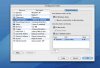
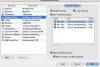
I think it matches what you show, but my Configuration Window looks a bit different.

Probably because I am using build 4128. The latest build, I believe 4560, gave me so much trouble and went back to 4128.

Picture 4.jpg
 
My version is 4560.
I don't know what your problem is then.

You can try installing less memory. Do you have 2 gb on the mac side?

I see that you don't have "enabled custom screen resolutions"

Did you send e-mail to parallels for this problem?
 
Last edited:
I do have 2 gb on the Mac side.

I have not yet emailed Parallels, mainly because I keep hearing in this forum that they never reply.

I am not sure what to do next, but I will send an email to Parallels support and see if I get a response.
 
Back
Top