Tom_Hesselman
Junior Member
Parallels Desktop 12, one Windows 10 VM working fine.
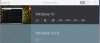
I inadvertently started a VM by double clicking a PVM file from a backup hard drive. It now shows up in the Control Center and a window like it's trying to start. I right click it in Control Center and click remove. it tells me I don't have permission to remove the virtual machine. I can't stop it, it doesn't have a PVM file anywhere (well, other than the now disconnected external HD!!)
How do I "shut it down" and how do I remove it from Control Center?
There is no more Parallels email support, only Twitter or this forum?
I inadvertently started a VM by double clicking a PVM file from a backup hard drive. It now shows up in the Control Center and a window like it's trying to start. I right click it in Control Center and click remove. it tells me I don't have permission to remove the virtual machine. I can't stop it, it doesn't have a PVM file anywhere (well, other than the now disconnected external HD!!)
How do I "shut it down" and how do I remove it from Control Center?
There is no more Parallels email support, only Twitter or this forum?