
Install the app
How to install the app on iOS
Follow along with the video below to see how to install our site as a web app on your home screen.
Note: This feature may not be available in some browsers.
You are using an out of date browser. It may not display this or other websites correctly.
You should upgrade or use an alternative browser.
You should upgrade or use an alternative browser.
Chakra Linux - Parallels Tools
- Thread starter DevP
- Start date
I also wanted to bump the topic, but I also come with some news.
I have installed the DVD version, which has the 2.6.35-LTS kernel, and in theory should work with parallels tools. It doesn't. It gets stuck somewhere at 'couldn't create /etc/init.d/prltoolsd'. And if I create the directory manually, it just fails at some later file. In the begining, the tools say that i need gcc, make and kernel headers. I downloaded gcc and make, and as I saw, the headers were already installed. After it failed once, I started the installer again, chose upgrade, and it asked me if I wanted to let it get the necessary files by itself and chose 'yes' since I didn't have any other choice. Could it be that it wants to download some packages, and Chakra, as Arch, does not use 'apt-get', nor 'yum', nor.. anything but 'pacman' ?
I would really love to see the tools installed on this wonderful distribution. At least on the version with the LTS kernel, if keeping up with the development of 2.6.38 kernel was already too much to ask.
I have installed the DVD version, which has the 2.6.35-LTS kernel, and in theory should work with parallels tools. It doesn't. It gets stuck somewhere at 'couldn't create /etc/init.d/prltoolsd'. And if I create the directory manually, it just fails at some later file. In the begining, the tools say that i need gcc, make and kernel headers. I downloaded gcc and make, and as I saw, the headers were already installed. After it failed once, I started the installer again, chose upgrade, and it asked me if I wanted to let it get the necessary files by itself and chose 'yes' since I didn't have any other choice. Could it be that it wants to download some packages, and Chakra, as Arch, does not use 'apt-get', nor 'yum', nor.. anything but 'pacman' ?
I would really love to see the tools installed on this wonderful distribution. At least on the version with the LTS kernel, if keeping up with the development of 2.6.38 kernel was already too much to ask.
I've managed to get Parallels Tools working in Chakra 2.6.38
1) I had to create a symbolic link to /etc/rc.d called /etc/init.d
2) I had to create a symbolic link to /usr/lib called /usr/lib64 (I don't have /usr/lib64/xorg [or X11] directories, but I do have /usr/lib/xorg [and X11]).
3) After install ran, I had to edit /etc/rc.conf to add prltoolsd to the DAEMONS list (Chakra uses BSD init)
Edit: I am using Parallels Desktop Build 6.0.12090
1) I had to create a symbolic link to /etc/rc.d called /etc/init.d
2) I had to create a symbolic link to /usr/lib called /usr/lib64 (I don't have /usr/lib64/xorg [or X11] directories, but I do have /usr/lib/xorg [and X11]).
3) After install ran, I had to edit /etc/rc.conf to add prltoolsd to the DAEMONS list (Chakra uses BSD init)
Edit: I am using Parallels Desktop Build 6.0.12090
Last edited:
Well, I have done the following things, after installing Chakra from the Live CD i686 version.
pacman -S gcc make, which installed the missing packages, because the kernel headers are installed by default.
ln -s /etc/rc.d /etc/init/d
ln -s /usr/lib /usr/lib64
I ran install, which failed, and then I added prltoolsd to the /etc/rc.conf file. I then ran the installer again, but I got similar errors as the first time, something about X configuration and not being able to add prltoolsd.
I restarted the VM, and it failed to login automatically. I logined, entered "startx", and KDE started. It seemed that Parallels Tools were installed, because I could get my mouse in and out of the VM without clicking inside the VM.
I then went to activate the advanced graphics / 3D hardware acceleration, and it failed. Then I forced it again, a 'Report bug" window appeared and the checkbox was there. It also gave an error message saying some things weren't enabled. Then I saw the battery monitor was not available, and the network interface was also not available. And then I came to post on the forum.
I am also using the same build of Parallels Desktop.
Thank you very much!
pacman -S gcc make, which installed the missing packages, because the kernel headers are installed by default.
ln -s /etc/rc.d /etc/init/d
ln -s /usr/lib /usr/lib64
I ran install, which failed, and then I added prltoolsd to the /etc/rc.conf file. I then ran the installer again, but I got similar errors as the first time, something about X configuration and not being able to add prltoolsd.
I restarted the VM, and it failed to login automatically. I logined, entered "startx", and KDE started. It seemed that Parallels Tools were installed, because I could get my mouse in and out of the VM without clicking inside the VM.
I then went to activate the advanced graphics / 3D hardware acceleration, and it failed. Then I forced it again, a 'Report bug" window appeared and the checkbox was there. It also gave an error message saying some things weren't enabled. Then I saw the battery monitor was not available, and the network interface was also not available. And then I came to post on the forum.
I am also using the same build of Parallels Desktop.
Thank you very much!
Chakra 2011.04-r2
With the latest releases of Parallels Build 6.0.12094 and Chakra 2011.04-r2 I took the time to figure out how to get the latest Parallels Tools to install.
I started with a new fresh VM, created from the x86_64 .iso. This version of Chakra actually has lib64 directories, but many files, including the X11 ones, are still located in the lib structure. This required a tweak to the detect-xserver.sh install script (see below).
Additionally, as Chakra 2011.04-r2 is based on Linux 2.6.39, code has to be physically patched to resolve API changes in the core API. This affected 3 source files.
1) pacman -S gcc make
2) ln -s /etc/rc.d /etc/init.d
3) mkdir /etc/init (directory required for the prl-x11 configuration)
4) mount the Parallels Tools
5) copy the Parallels Tools to a working directory
6) unzip and untar the prl_mod.tar.gz in kmods directory
7) Patch files as shown in attached diff file
7b) Manually edit installer/install-tools.sh:
- Comment out "$REGISTER_SERVICE" --install "$TOOLSD"
- Comment out "$REGISTER_SERVICE" --install "$XTOOLS"
8) Run the installer in your working directory
9) We commented out registration, so manually edit /etc/rc.conf file:
- Add 'prl_tg prl_pv prl_fs prl_fs_freeze prl_eth' to the end of the MODULES list
- Add 'prl-x11 prltoolsd' to the end of the DAEMONS list
10) Reboot
In the attached diff report 'parallels_tools' is my working directory and 'parallels_tools_orig' is a copy of the original install files.
I believe I've documented all the important steps, but it has been a few days since I did this so I apologize if I left out any steps. Hopefully this should provide enough information for anyone interested in trying out the latest Chakra inside a Parallels 6 VM.
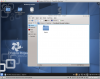
I've also attached an image showing my Chakra VM accessing the Parallels Shared Folders, showing my Home (which is on MacOS Lion).
Edit: I've applied the patch correction noted below to the attachment.
Edit: I've tweaked the instructions to make sure that the full install succeeds. The failure were happening because the script tried to automatically register services and components. These failures prevented the script from completing properly.
With the latest releases of Parallels Build 6.0.12094 and Chakra 2011.04-r2 I took the time to figure out how to get the latest Parallels Tools to install.
I started with a new fresh VM, created from the x86_64 .iso. This version of Chakra actually has lib64 directories, but many files, including the X11 ones, are still located in the lib structure. This required a tweak to the detect-xserver.sh install script (see below).
Additionally, as Chakra 2011.04-r2 is based on Linux 2.6.39, code has to be physically patched to resolve API changes in the core API. This affected 3 source files.
1) pacman -S gcc make
2) ln -s /etc/rc.d /etc/init.d
3) mkdir /etc/init (directory required for the prl-x11 configuration)
4) mount the Parallels Tools
5) copy the Parallels Tools to a working directory
6) unzip and untar the prl_mod.tar.gz in kmods directory
7) Patch files as shown in attached diff file
7b) Manually edit installer/install-tools.sh:
- Comment out "$REGISTER_SERVICE" --install "$TOOLSD"
- Comment out "$REGISTER_SERVICE" --install "$XTOOLS"
8) Run the installer in your working directory
9) We commented out registration, so manually edit /etc/rc.conf file:
- Add 'prl_tg prl_pv prl_fs prl_fs_freeze prl_eth' to the end of the MODULES list
- Add 'prl-x11 prltoolsd' to the end of the DAEMONS list
10) Reboot
In the attached diff report 'parallels_tools' is my working directory and 'parallels_tools_orig' is a copy of the original install files.
I believe I've documented all the important steps, but it has been a few days since I did this so I apologize if I left out any steps. Hopefully this should provide enough information for anyone interested in trying out the latest Chakra inside a Parallels 6 VM.
I've also attached an image showing my Chakra VM accessing the Parallels Shared Folders, showing my Home (which is on MacOS Lion).
Edit: I've applied the patch correction noted below to the attachment.
Edit: I've tweaked the instructions to make sure that the full install succeeds. The failure were happening because the script tried to automatically register services and components. These failures prevented the script from completing properly.
Attachments
Last edited:
Thank you very much for your post! I will definitely try it as soon as I have a little time. I was wondering if your method is the same for the x86 version? If not, I will just install the x64 version, but I am curious. Thank you again for the detailed description and for the patch.
Thank you very much for your post! I will definitely try it as soon as I have a little time. I was wondering if your method is the same for the x86 version? If not, I will just install the x64 version, but I am curious. Thank you again for the detailed description and for the patch.
I downloaded the i686 iso this morning and ran through my install successfully. You won't need to patch the detect-xserver.sh script as you are installing the 32-bit version, which will automatically look in the XORG_MODULES_DIRS32 directories.
Good luck!
With the latest releases of Parallels Build 6.0.12094 and Chakra 2011.04-r2 I took the time to figure out how to get the latest Parallels Tools to install.
This is probably only needed on PD6, or would this patch also work on PD5?
This is probably only needed on PD6, or would this patch also work on PD5?
It is a patch to Parallels Tools in PD6 (Build 6.0.12094). It wouldn't work on PD5. You might be able to use the changes I needed to make to manually create your own patch to PD5.
You Rock!
This worked perfectly to fix my problems with Kubuntu and Parallels 6. I just updated a few bits of your patches to be for kernel 3.0.0 instead of the 2.6.39 that you used.
THANKS!
This worked perfectly to fix my problems with Kubuntu and Parallels 6. I just updated a few bits of your patches to be for kernel 3.0.0 instead of the 2.6.39 that you used.
THANKS!
With the latest releases of Parallels Build 6.0.12094 and Chakra 2011.04-r2 I took the time to figure out how to get the latest Parallels Tools to install.
I started with a new fresh VM, created from the x86_64 .iso. This version of Chakra actually has lib64 directories, but many files, including the X11 ones, are still located in the lib structure. This required a tweak to the detect-xserver.sh install script (see below).
Additionally, as Chakra 2011.04-r2 is based on Linux 2.6.39, code has to be physically patched to resolve API changes in the core API. This affected 3 source files.
1) pacman -S gcc make
2) ln -s /etc/rc.d /etc/init.d
3) mkdir /etc/init (directory required for the prl-x11 configuration)
4) mount the Parallels Tools
5) copy the Parallels Tools to a working directory
6) unzip and untar the prl_mod.tar.gz in kmods directory
7) Patch files as shown in attached diff file
7b) Manually edit installer/install-tools.sh:
- Comment out "$REGISTER_SERVICE" --install "$TOOLSD"
- Comment out "$REGISTER_SERVICE" --install "$XTOOLS"
8) Run the installer in your working directory
9) We commented out registration, so manually edit /etc/rc.conf file:
- Add 'prl_tg prl_pv prl_fs prl_fs_freeze prl_eth' to the end of the MODULES list
- Add 'prl-x11 prltoolsd' to the end of the DAEMONS list
10) Reboot
In the attached diff report 'parallels_tools' is my working directory and 'parallels_tools_orig' is a copy of the original install files.
I believe I've documented all the important steps, but it has been a few days since I did this so I apologize if I left out any steps. Hopefully this should provide enough information for anyone interested in trying out the latest Chakra inside a Parallels 6 VM.
I've also attached an image showing my Chakra VM accessing the Parallels Shared Folders, showing my Home (which is on MacOS Lion).
Edit: I've applied the patch correction noted below to the attachment.
Edit: I've tweaked the instructions to make sure that the full install succeeds. The failure were happening because the script tried to automatically register services and components. These failures prevented the script from completing properly.