
Install the app
How to install the app on iOS
Follow along with the video below to see how to install our site as a web app on your home screen.
Note: This feature may not be available in some browsers.
You are using an out of date browser. It may not display this or other websites correctly.
You should upgrade or use an alternative browser.
You should upgrade or use an alternative browser.
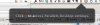
Click || To Access Parallels Desktop Settings
- Thread starter DanV51
- Start date
Same problem - highly irritating
--
Agreed - how to disable - I guess Parallels think we're f****** idiots?!
How do I disable the black popup that pops up every time I start Parallels that says "Click || To Access Parallels Desktop Settings"?
It was fine the first time, but it covers up other things on my desktop and is getting irritating.
View attachment 7495
Thanks,
Dan
--
Agreed - how to disable - I guess Parallels think we're f****** idiots?!
Videosmith
Bit poster
It is driving me crazy as well. It only stared for me, with the upgrade to 9.
+1 for this annoying issue, which occurs in Build 9.0.23140 Rev 935944 under Mavericks, only the *first* time you explicitly invoke Coherence mode after each fresh launch of a Win7 VM. Please, devs, don't make us have to dismiss this alert box every freaking time we start Coherence! At least make it time out after a few seconds!
Videosmith
Bit poster
Do the chaps at Parallels monitor these forums, as I was hoping for a comment from them.
Very annoying indeed, I rely on parallels to be invisible.
Found something on this thread http://forum.parallels.com/showthread.php?290492-Parallels-9-shows-guest-icon-in-dock-bar
Cramill posted:
This worked for me, but needs to be redone every time parallels is updated.
Found something on this thread http://forum.parallels.com/showthread.php?290492-Parallels-9-shows-guest-icon-in-dock-bar
Cramill posted:
I emailed support and sounds like you can get the annoying message to go away once you left click and right click on the parallels icon in the menu bar. I did that and i restarted my VM and it hasn't shown up again.
This worked for me, but needs to be redone every time parallels is updated.
Videosmith
Bit poster
This worked for me, but needs to be redone every time parallels is updated.
Hi Darryn. I missed the post that you linked to, so thank you. Do I understand correctly, that you left click and right click at the same time to get rid of it until updating?
If so, it doesn't remove it permanently for me. It removes it immediately, just as left clicking on it does, but when I restart Parallels, there the annoying little popup is again!
Am I doing something wrong?
Hi Darryn. I missed the post that you linked to, so thank you. Do I understand correctly, that you left click and right click at the same time to get rid of it until updating?
If so, it doesn't remove it permanently for me. It removes it immediately, just as left clicking on it does, but when I restart Parallels, there the annoying little popup is again!
Am I doing something wrong?
The exact sequence I did was start my vm, wait for the annoying popup, the left click on the || icon in the menubar, the menu pops up, left click again, the menu goes away, then right click on it, start menu pops up, right click again, start menu goes away. The message then doesn't reappear until I update to a new version of parallels. I don't know if it matters what hardware you're running, but I'm using parallels to boot to a windows 7 x64 Boot Camp partition on a macbook air 2013 13".
Videosmith
Bit poster
The exact sequence I did was start my vm, wait for the annoying popup, the left click on the || icon in the menubar, the menu pops up, left click again, the menu goes away, then right click on it, start menu pops up, right click again, start menu goes away. The message then doesn't reappear until I update to a new version of parallels. I don't know if it matters what hardware you're running, but I'm using parallels to boot to a windows 7 x64 Boot Camp partition on a macbook air 2013 13".
Gotcha thanks very much. Sadly, it doesn't work for me
