Cmd remapping doesn't work correctly

SergeyB1

Bit poster
I use Windows 10 with Parallels under OSX and noticed that Ctrl + Left Click (I use it in Visual Studio editor) works perfectly but Cmd + Left Click doesn't work fluently. There is significant delay between pressing cmd and editor reaction even in Keyboard mode "Optimize for gaming". I've temporary remapped Ctrl to Windows Ctrl in parallel with Cmd to Windows Ctrl, but from my understanding Cmd has special treatment and doesn't react on Keyboard mode "Optimize for gaming" as it does for Ctrl, Alt, Shift.

The version is: 11.2.2, Guest: Windows 10, Host: macOS Siera

Any ideas how to improve it?
 
I use Windows 10 with Parallels under OSX and noticed that Ctrl + Left Click (I use it in Visual Studio editor) works perfectly but Cmd + Left Click doesn't work fluently. There is significant delay between pressing cmd and editor reaction even in Keyboard mode "Optimize for gaming". I've temporary remapped Ctrl to Windows Ctrl in parallel with Cmd to Windows Ctrl, but from my understanding Cmd has special treatment and doesn't react on Keyboard mode "Optimize for gaming" as it does for Ctrl, Alt, Shift.

The version is: 11.2.2, Guest: Windows 10, Host: macOS Siera

Any ideas how to improve it?
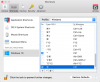
Hi SergeyB1, please check out this article to fix the issue.
 
Hi,

Thanks for the article but I don't think it's related to my problem. Anyway, I disabled all Application Shortcuts but it didn't help. As I stated in my previous emails Ctrl (mapped to Windows Ctrl) + Left Click works perfectly but Cmd (mapped to Windows Ctrl) + Left Click works much slower (sometimes it works only after 3rd-4th try). I see significant delay in recognizing that Cmd (mapped to Ctrl) has been pressed in Visual Studio editor though Ctrl (mapped to Ctrl) recognized almost immediately in Visual Studio editor.

Any other ideas?

Thanks in advance,
Sergey
 

Attachments

  • 2016-11-26_17-34-16.png
    2016-11-26_17-34-16.png
    200.5 KB · Views: 1
Last edited:
Back
Top