
Install the app
How to install the app on iOS
Follow along with the video below to see how to install our site as a web app on your home screen.
Note: This feature may not be available in some browsers.
You are using an out of date browser. It may not display this or other websites correctly.
You should upgrade or use an alternative browser.
You should upgrade or use an alternative browser.
Coherence grayed out on Windows 7
- Thread starter Bimmerman
- Start date
John@Parallels
Forum Maven
Please check that you selected Windows 7 Experimental
Thanks for the reply, I got it working. Had to re-install the Parallels Tools again and now I am able to switch to coherence. One weird thing though, I cant get the start menu to pop up by clicking the Parallels dock icon. Clicking the icon does nothing I have to go to "Applications - Start Menu" in parallels to get the start menu to show up in coherence. Oh well, It is "Experimental" after all. I would say that overall, Windows 7 is running extremely well. Much better then my experience with running Vista in a virtual machine with my little old Mac Mini Core Solo.
John@Parallels
Forum Maven
You need to click twice if focus is not in Parallels
John@Parallels
Forum Maven
Are you trying to click it while in window mode?
It is working only in Coherence
It is working only in Coherence
John@Parallels
Forum Maven
Try to remove Parallels Desktop icon from Dock, and readd it back
Also there may be situation when due to load it may not respond immediately
Also there may be situation when due to load it may not respond immediately
My Coherence has been working fine since i got Parallels this past summer, but just recently the coherence button grayed out. i saw that you said to reinstall the Parallels tools but i dont know how to do that.
I'm having exactly the same problem. OSX Lion running P7 with W7 and coherence is greyed out.
I also don't know how to install Parallels Tools without a CD.
Please help!
Porterhaus
Bit poster
Same Here
I have the same issue. PD7 and Win 7 Pro. Install went well (no issues) but the Coherence mode is greyed out and I don't know how to install the tools without a CD. This was an electronic delivery.
Please Help.
I have the same issue. PD7 and Win 7 Pro. Install went well (no issues) but the Coherence mode is greyed out and I don't know how to install the tools without a CD. This was an electronic delivery.
Please Help.
ColinTovey
Bit poster
clever_nickname
Bit poster
Solution
Coherence was greyed out for me because Parallels Tools was not installed properly. While the virtual machine is running (i.e., while your Windows desktop is opened in a window), from the mac Parallels menu select Virtual Machine > Reinstall Parallels Tools.
You don't need an install CD - when Parallels installed, it created a fake CD "drive" that contains the needed files to reinstall Parallels Tools. A window will open and you just click Yes.
I had an additional problem that turned out to be related to my dual-monitor setup (I have a macbook pro laptop with OS X Lion and Parallels 7 booting from my Bootcamp partition). My additional monitors are connected via Cirago USB to HDMI Adapters, which use DisplayLink video drivers.
Tech support was unable to figure out the problem, so I figured I'd post it here in case anyone else was experiencing the same issue.
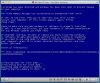
For whatever reason, the Display Link Core Software was interfering with proper Parallels Tools installation, such that after I installed Parallels Tools and restarted I would get a Blue Screen of Death (BSOD) and have to use Windows System Restore to restore Windows to before Parallels Tools was installed. A screenshot of the BSOD is attached, and mentions a video memory manager fatal error.
The solution was to use Windows to uninstall the Display Link Core software (just from Windows, not from OS X): START > Control Panel > Uninstall a Program. After you uninstall the DisplayLink Core Software, restart Windows (from within the Parallels window). Then, reinstall Parallels Tools (mac Parallels menu: Virtual Machine > Reinstall Parallels Tools). Restart the virtual machine and viola! Coherence works!
I now have my laptop and both USB-connected monitors running (the Mac drivers were not changed during the above steps), and Parallels in running in Coherence mode without problems.
Coherence was greyed out for me because Parallels Tools was not installed properly. While the virtual machine is running (i.e., while your Windows desktop is opened in a window), from the mac Parallels menu select Virtual Machine > Reinstall Parallels Tools.
You don't need an install CD - when Parallels installed, it created a fake CD "drive" that contains the needed files to reinstall Parallels Tools. A window will open and you just click Yes.
I had an additional problem that turned out to be related to my dual-monitor setup (I have a macbook pro laptop with OS X Lion and Parallels 7 booting from my Bootcamp partition). My additional monitors are connected via Cirago USB to HDMI Adapters, which use DisplayLink video drivers.
Tech support was unable to figure out the problem, so I figured I'd post it here in case anyone else was experiencing the same issue.
For whatever reason, the Display Link Core Software was interfering with proper Parallels Tools installation, such that after I installed Parallels Tools and restarted I would get a Blue Screen of Death (BSOD) and have to use Windows System Restore to restore Windows to before Parallels Tools was installed. A screenshot of the BSOD is attached, and mentions a video memory manager fatal error.
The solution was to use Windows to uninstall the Display Link Core software (just from Windows, not from OS X): START > Control Panel > Uninstall a Program. After you uninstall the DisplayLink Core Software, restart Windows (from within the Parallels window). Then, reinstall Parallels Tools (mac Parallels menu: Virtual Machine > Reinstall Parallels Tools). Restart the virtual machine and viola! Coherence works!
I now have my laptop and both USB-connected monitors running (the Mac drivers were not changed during the above steps), and Parallels in running in Coherence mode without problems.
Attachments
Hello,
Please help me out with my Problem.
I m Running on a MacBook Pro 13inch retina early 2015 with El Capitan parallels 11 and a vm Windows 7 pro.
When i Switch to the coherence mode, every Windows Programms are shown in a gray screen When i for example Start Outlook, it appears in a gray screen like each other programm from the vm.
I also reinstalled the parallels Tools.
What is the Problem ?
Please help me out with my Problem.
I m Running on a MacBook Pro 13inch retina early 2015 with El Capitan parallels 11 and a vm Windows 7 pro.
When i Switch to the coherence mode, every Windows Programms are shown in a gray screen When i for example Start Outlook, it appears in a gray screen like each other programm from the vm.
I also reinstalled the parallels Tools.
What is the Problem ?

Hi, aAs a probable solution please perform the steps below:Hello,
Please help me out with my Problem.
I m Running on a MacBook Pro 13inch retina early 2015 with El Capitan parallels 11 and a VM Windows 7 pro.
When I Switch to the coherence mode, every Windows Programs are shown in a gray screen When I for example Start Outlook, it appears in a gray screen like each other program from the VM.
I also reinstalled the parallels Tools.
What is the Problem?
1. Please take a snapshot of the Virtual Machine before performing the instructions: in Mac menu bar go to Virtual machine > Take a snaps
2. Go to Device Manager (to access Device Manager, go to Control Panel > System and Maintenance > System > Device Manager)
3. Expand "System Devices"
4. Find the corresponding driver, (in our example - "ATI PCI Express(3GIO) Filter Driver"), right-click on it and select "Uninstall".
5. Tick "Delete the driver software for this device" (IMPORTANT)
6. Reboot
7. Check and make sure that the driver has been deleted.
8. Reinstall Parallels Tools and check the issue.
Hi, aAs a probable solution please perform the steps below:
1. Please take a snapshot of the Virtual Machine before performing the instructions: in Mac menu bar go to Virtual machine > Take a snaps
2. Go to Device Manager (to access Device Manager, go to Control Panel > System and Maintenance > System > Device Manager)
3. Expand "System Devices"
4. Find the corresponding driver, (in our example - "ATI PCI Express(3GIO) Filter Driver"), right-click on it and select "Uninstall".
5. Tick "Delete the driver software for this device" (IMPORTANT)
6. Reboot
7. Check and make sure that the driver has been deleted.
8. Reinstall Parallels Tools and check the issue.
What do you mean by the 'corresponding driver' in #4? I am having the same issue that coherence mode results in greyed out windows running on Mac Mini with El Capitan and Parallels 11. I have tried the various solutions I have read in forums (including deleting the Parallels Display Adapter (WDDM) - which is the only display adapter I have in the device manager), then reinstalling Parallel Tools. So back to this - what is the 'corresponding driver' - why are you suggesting the "ATI PCI Express(3GIO) Filter Driver" (which I don't have in my list of devices)? Any other suggestions for this problem? Thanks.