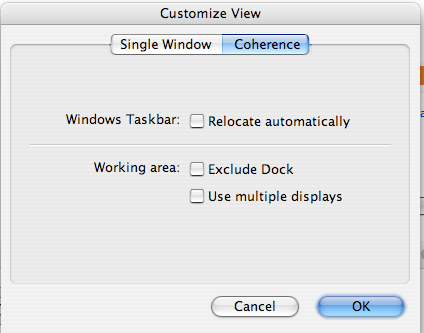
I'm having real problems with Coherence in Build 5160. I've gone through several threads reporting these issues, and I've tried several of the remedies, none of which have worked. Here's my issue and sequence of events.
I updated to Build 5160 on Wednesday morning. WHen I launch Windows the first time after updating, the Parallels Tools installer runs, and I let it complete and then reboot immediately. Right away, I noticed that while in Coherence, I cannot get application windows to move to the foreground when I click on them after having a Mac app open. I can get the Windows taskbar to operate fine, but even opening new apps with new windows does not have the new windows come to the foreground. I skimmed the forum and fond a reference to uninstalling and reinstalling Parallels Tools, so I did. Since I'd also been having some issues with the shared clipboard before updating, I thought this wasn't a bad idea anyway. No change.
Next thread I found made mention of upping the memory allocation to the video in the VM settings, so I upped the RAM allocation to video from 32MB to 64MB. Again, no change. Next I found the thread that mentioned turning on the Group Windows settings in the Coherence settings. Tried that, no love.
I'm running Build 5160 on a Mac Mini with a 1.66GHz Core Duo processor and 2GB of RAM. Mac OS is running 10.4.10. Running Windows XP SP2 in the VM with 768MB of RAM allocated to the VM. XP is up to date with the latest security updates from MS. Same with the host Mac OS.
I've had to go back to running Parallels in single window mode to make the system usable again. I'm seriously tempted to drop back to the last build, but wanted to see if there were any other suggestions for getting Coherence back running as expected again.
Thanks.
-Eriq
I updated to Build 5160 on Wednesday morning. WHen I launch Windows the first time after updating, the Parallels Tools installer runs, and I let it complete and then reboot immediately. Right away, I noticed that while in Coherence, I cannot get application windows to move to the foreground when I click on them after having a Mac app open. I can get the Windows taskbar to operate fine, but even opening new apps with new windows does not have the new windows come to the foreground. I skimmed the forum and fond a reference to uninstalling and reinstalling Parallels Tools, so I did. Since I'd also been having some issues with the shared clipboard before updating, I thought this wasn't a bad idea anyway. No change.
Next thread I found made mention of upping the memory allocation to the video in the VM settings, so I upped the RAM allocation to video from 32MB to 64MB. Again, no change. Next I found the thread that mentioned turning on the Group Windows settings in the Coherence settings. Tried that, no love.
I'm running Build 5160 on a Mac Mini with a 1.66GHz Core Duo processor and 2GB of RAM. Mac OS is running 10.4.10. Running Windows XP SP2 in the VM with 768MB of RAM allocated to the VM. XP is up to date with the latest security updates from MS. Same with the host Mac OS.
I've had to go back to running Parallels in single window mode to make the system usable again. I'm seriously tempted to drop back to the last build, but wanted to see if there were any other suggestions for getting Coherence back running as expected again.
Thanks.
-Eriq