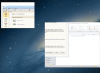
M MAG_MIKE Bit poster Sep 4, 2012 #1 what is this?? parallels desktop 8, windows 7, external monitor NOT plugged in Attachments Screen Shot 2012-09-04 at 11.43.48 AM.png 731.4 KB · Views: 17
serv Forum Maven Sep 4, 2012 #2 Right-click that IRIS IT Architect application icon, open Properties, Compatibility tab and tick Disable display scaling on high DPI settings.
Right-click that IRIS IT Architect application icon, open Properties, Compatibility tab and tick Disable display scaling on high DPI settings.
M MAG_MIKE Bit poster Sep 4, 2012 #3 tried that, but it makes ARIS fonts so small i can't read anything. do jvm settings need to be modified or something? This is a java app.
tried that, but it makes ARIS fonts so small i can't read anything. do jvm settings need to be modified or something? This is a java app.
serv Forum Maven Sep 4, 2012 #4 Not sure I can help you with java settings here, it just doesn't support high DPI display in this case. What you can do is disable retina resolution for Windows: VM Configuration > Hardware > Video > Enable full resolution.
Not sure I can help you with java settings here, it just doesn't support high DPI display in this case. What you can do is disable retina resolution for Windows: VM Configuration > Hardware > Video > Enable full resolution.