JamesMcDowell
Member
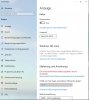
With Parallels 15 I am unable to adjust any of the colour profile settings in either Win 10 or Win 7. I can access the profiles, I can also access the Windows Calibration app, but at no point does making any changes make any difference in the display.
Example is that I open the Calibration app and get to the screen to adjust the gamma (first adjustment.) The slider has no effect whatsoever. I can select a bunch of different profiles that I have created, but it's clear that they are having no effect, though it does look in the dialog box like they are loading.
This is the same result in all video modes, Full Screen, Windowed, Coherence.
I'm guessing that his is a result of changes to the Parallels graphics driver. Is there a fix for this? The one application that I need to run along side my Mac applications is a database of photographs. With the colours not displaying correctly the whole procedure is becoming a failure.
Example is that I open the Calibration app and get to the screen to adjust the gamma (first adjustment.) The slider has no effect whatsoever. I can select a bunch of different profiles that I have created, but it's clear that they are having no effect, though it does look in the dialog box like they are loading.
This is the same result in all video modes, Full Screen, Windowed, Coherence.
I'm guessing that his is a result of changes to the Parallels graphics driver. Is there a fix for this? The one application that I need to run along side my Mac applications is a database of photographs. With the colours not displaying correctly the whole procedure is becoming a failure.