
Install the app
How to install the app on iOS
Follow along with the video below to see how to install our site as a web app on your home screen.
Note: This feature may not be available in some browsers.
You are using an out of date browser. It may not display this or other websites correctly.
You should upgrade or use an alternative browser.
You should upgrade or use an alternative browser.
Convert Physical Lion Drive to virtual
- Thread starter RandallS
- Start date
1) Run Disk Utility, create a read/write disk image, Mac OS Extended (Journaled), Single partition - GUID Partition Map, with a size big enough to hold you Lion installation. Mount the disk image.
2) Use Restore from your Lion partition to the new disk image partition.
3) Eject the disk image and change the file extension from .dmg to .hdd.
4) Create a new virtual machine, remove Hard Disk 1 from the Hardware configuration (move it to trash), Create a new virtual hard disk from existing image, and select the .hdd file. Parallels will convert it to a new .hdd virtual hard disk.
5) Boot the virtual machine.
I haven't tested the above myself but it should create a valid Mac virtual hard disk that you can boot from.
2) Use Restore from your Lion partition to the new disk image partition.
3) Eject the disk image and change the file extension from .dmg to .hdd.
4) Create a new virtual machine, remove Hard Disk 1 from the Hardware configuration (move it to trash), Create a new virtual hard disk from existing image, and select the .hdd file. Parallels will convert it to a new .hdd virtual hard disk.
5) Boot the virtual machine.
I haven't tested the above myself but it should create a valid Mac virtual hard disk that you can boot from.
This didn't worked for me. After renaming my .dmg file to .hdd, Parallels told me it was an old format (Parallels 3.0) and should be converted. The conversion did nothing and the .hdd file is unusable.
Also, one has to keep in mind that a .dmg file will have a fixed size (so you have (1) to make a bigger file than the original OS to have room and (2) no way to shrink or expand it later).
Also, one has to keep in mind that a .dmg file will have a fixed size (so you have (1) to make a bigger file than the original OS to have room and (2) no way to shrink or expand it later).
It worked for me. I used Parallels Desktop 8 but other versions should work as well, since the Parallels Desktop 3 hdd file format hasn't changed.
When I selected the .hdd file, Parallels gave the invalid disk image error and the Parallels Virtual Machine Upgrade message simultaneously. That's kind of clunky... (see the attached screen shot). Anyway, I clicked the Convert button first in the Upgrade dialog box. Then I clicked the Yes button for the "invalid disk image error" dialog box to save the virtual machine.
The Convert process is instantaneous because all Parallels needs to do is move the .hdd file into a package folder and create some tiny meta files that describe the hdd:
Once you have an upgraded .hdd, you will be able to convert it to an expanding disk image format by clicking the Edit button. However, I got the error mentioned here:
http://kb.parallels.com/en/113653
I clicked the "Expanding disk" option anyway. It appears to have properly converted it to an expanding disk format. The hdd shrunk from 50 GB to 6 GB.
Lion booted in the virtual machine without any issues.
When I selected the .hdd file, Parallels gave the invalid disk image error and the Parallels Virtual Machine Upgrade message simultaneously. That's kind of clunky... (see the attached screen shot). Anyway, I clicked the Convert button first in the Upgrade dialog box. Then I clicked the Yes button for the "invalid disk image error" dialog box to save the virtual machine.
The Convert process is instantaneous because all Parallels needs to do is move the .hdd file into a package folder and create some tiny meta files that describe the hdd:
Code:
Lion2Test.hdd
    DiskDescriptor.xml
    DiskDescriptor.xml.Backup
    Lion2Test.hdd
    Lion2Test.hdd.drh
    Lion2Test.hdd.hds <- the contents of the .dmg are now in this file
Once you have an upgraded .hdd, you will be able to convert it to an expanding disk image format by clicking the Edit button. However, I got the error mentioned here:
http://kb.parallels.com/en/113653
I clicked the "Expanding disk" option anyway. It appears to have properly converted it to an expanding disk format. The hdd shrunk from 50 GB to 6 GB.
Lion booted in the virtual machine without any issues.
Attachments
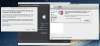
I only had one of these messages (the one with Cancel and Convert buttons). Well, perhaps Parallels 7 doesn't handle this the same way.
And I also get the the volume is perhaps damaged or unsupported message each time I try to change my volume's size; but it seems HFS volumes are just unsupported for resizing (I've seen that in Parallels' support pages). Hope this is going to be done (Disk Utility can resize HFS partitions, so it's not a HFS limitation).
And I also get the the volume is perhaps damaged or unsupported message each time I try to change my volume's size; but it seems HFS volumes are just unsupported for resizing (I've seen that in Parallels' support pages). Hope this is going to be done (Disk Utility can resize HFS partitions, so it's not a HFS limitation).
Once you've created the .hdd, you can convert it back to a .dmg by making sure it is a fixed size disk first (uncheck the "Expanding disk" option), then renaming the .hds to .dmg. Then Disk Utility can be used to copy the .dmg to a new .dmg of different size. You may need to use Disk Utility to shrink the partition first.
My success story - 170GB VM from my old MBP
Success! I thought I'd post my story, in case it helps someone else. I won't bother with the three days of failure I incurred - I'll just explain what finally worked. Hopefully I'll remember all the details correctly.
I'm running PD 8.0.18354 on OS/X 10.8.2. I put the disk image (about 170GB) of my old MacBook Pro ("Late 2008") into a new VM on my new iMac 21" with the 1TB Fusion Hard Drive and 16GB RAM. (I'm not bragging - just the details in case they help anyone... OK, well, maybe I'm bragging a little, because this new iMac is sweeeeet!) ;p
Here's what I did:
1) Following the instructions in this thread, I created a new, empty disk image on a USB hard drive large enough to hold the contents of my old MacBook Pro (170GB). Quoting joevt:
2) I used the trial edition of Carbon Copy Cloner (CCC) (see NOTE at the end of this post) to copy the entire image of my MacBook Pro (MBP) into the image on my external drive. CCC has the ability to create images itself, but they don't have the correct configuration (although to be honest, I didn't try it).
3) I created a new VM on my iMac. I'm not sure what's the best way to do this, but I had it create a new one from the Mountain Lion Install image, then just forced it to stop once it booted up and ML started to install.
4) In the Configuration dialog for this new VM, in the Hardware section, I clicked the "-" button in the bottom left to remove the old hard drive. Told it to move it to the trash (which I then emptied).
5) I closed the Configuration dialog, and closed Parallels. Then I copied the image from my USB drive into the package for the new VM. (In Finder, use shift+right-click->view package contents.) I renamed the extension from .dmg to .hdd.
6) I started Parallels up again, and went back to the configuration for the new VM. In the hardware section, I clicked the "+" button in the bottom left and added a new hard drive from an existing image, and selected the .hdd file I just put in the package. Parallels warned me about the fact it needed to convert the image, and it is irreversible, yada yada, and I told it to go ahead.
7) Closed the Config dialog, and started the VM. Unbelievably, no smoke came out of my computer, and the VM actually booted and showed me the desktop from my old MBP!
8) I shut it down, and went through the process of converting it to an expanding disk. WARNING: This takes a LOT of disk space. To do this, I went back to the hardware configuration and clicked the "edit" button for the hard drive. I *think* it displayed that bogus error dialog about not being able to read the hard drive, but I could be wrong. In any case, I changed it to an expanding disk. This took quite a while - in fact, I wrote this entire post while it was working, then had breakfast, and answered some trouble tickets from work. But eventually it finished.
9) Started the VM back up and everything ran just fine. I'll report back if I run into any issues, but so far, so good.
Thanks to all who helped, especially joevt, without whom I would still be banging my head against the wall.
NOTE on Carbon Copy Cloner (CCC):
At the time of this writing, I couldn't get the "Mountain Lion" version of CCC to work on my MacBook Pro, without some finagling. It appeared to install just fine, but nothing happened when I tried to launch the app. Following the instructions in a post on their forum, I actually had to download the Snow Leopard version and install it. When it runs, it tells you there's a newer version and wants to take you to the website. Ignore that dialog. Another dialog comes up that will update CCC to the new version for you. Let it install the update. For whatever reason, this works whereas just downloading the ML version didn't. Go figure.
NOTE to the Parallels team, should you read this:
Obviously it would be nice if this was an easier process. But until that time comes, you should consider making a KB article out of this process. Obviously you'll want to test these steps to make sure I didn't misremember something, and you may have a better option than using Carbon Copy Cloner (although it's a great product, in spite of the installation issues I faced).
Dan
Success! I thought I'd post my story, in case it helps someone else. I won't bother with the three days of failure I incurred - I'll just explain what finally worked. Hopefully I'll remember all the details correctly.
I'm running PD 8.0.18354 on OS/X 10.8.2. I put the disk image (about 170GB) of my old MacBook Pro ("Late 2008") into a new VM on my new iMac 21" with the 1TB Fusion Hard Drive and 16GB RAM. (I'm not bragging - just the details in case they help anyone... OK, well, maybe I'm bragging a little, because this new iMac is sweeeeet!) ;p
Here's what I did:
1) Following the instructions in this thread, I created a new, empty disk image on a USB hard drive large enough to hold the contents of my old MacBook Pro (170GB). Quoting joevt:
Run Disk Utility, create a read/write disk image, Mac OS Extended (Journaled), Single partition - GUID Partition Map, with a size big enough to hold you Lion installation. Mount the disk image.
2) I used the trial edition of Carbon Copy Cloner (CCC) (see NOTE at the end of this post) to copy the entire image of my MacBook Pro (MBP) into the image on my external drive. CCC has the ability to create images itself, but they don't have the correct configuration (although to be honest, I didn't try it).
3) I created a new VM on my iMac. I'm not sure what's the best way to do this, but I had it create a new one from the Mountain Lion Install image, then just forced it to stop once it booted up and ML started to install.
4) In the Configuration dialog for this new VM, in the Hardware section, I clicked the "-" button in the bottom left to remove the old hard drive. Told it to move it to the trash (which I then emptied).
5) I closed the Configuration dialog, and closed Parallels. Then I copied the image from my USB drive into the package for the new VM. (In Finder, use shift+right-click->view package contents.) I renamed the extension from .dmg to .hdd.
6) I started Parallels up again, and went back to the configuration for the new VM. In the hardware section, I clicked the "+" button in the bottom left and added a new hard drive from an existing image, and selected the .hdd file I just put in the package. Parallels warned me about the fact it needed to convert the image, and it is irreversible, yada yada, and I told it to go ahead.
7) Closed the Config dialog, and started the VM. Unbelievably, no smoke came out of my computer, and the VM actually booted and showed me the desktop from my old MBP!
8) I shut it down, and went through the process of converting it to an expanding disk. WARNING: This takes a LOT of disk space. To do this, I went back to the hardware configuration and clicked the "edit" button for the hard drive. I *think* it displayed that bogus error dialog about not being able to read the hard drive, but I could be wrong. In any case, I changed it to an expanding disk. This took quite a while - in fact, I wrote this entire post while it was working, then had breakfast, and answered some trouble tickets from work. But eventually it finished.
9) Started the VM back up and everything ran just fine. I'll report back if I run into any issues, but so far, so good.
Thanks to all who helped, especially joevt, without whom I would still be banging my head against the wall.
NOTE on Carbon Copy Cloner (CCC):
At the time of this writing, I couldn't get the "Mountain Lion" version of CCC to work on my MacBook Pro, without some finagling. It appeared to install just fine, but nothing happened when I tried to launch the app. Following the instructions in a post on their forum, I actually had to download the Snow Leopard version and install it. When it runs, it tells you there's a newer version and wants to take you to the website. Ignore that dialog. Another dialog comes up that will update CCC to the new version for you. Let it install the update. For whatever reason, this works whereas just downloading the ML version didn't. Go figure.
NOTE to the Parallels team, should you read this:
Obviously it would be nice if this was an easier process. But until that time comes, you should consider making a KB article out of this process. Obviously you'll want to test these steps to make sure I didn't misremember something, and you may have a better option than using Carbon Copy Cloner (although it's a great product, in spite of the installation issues I faced).
Dan
...Not so much, after all
I said I'd report back, and so I am. Yes, my above methods created a VM that was usable. But there were problems. One example, which kind of ruined it for me, was that Shared Folders didn't work right. I could never get it so that inside the guest VM, I could write to the shared folders. I kept getting odd errors. My guess is that the file system got confused, with an image larger than 68GB.
So instead, I did what I probably should have done in the first place:
1) On my MacBook Pro, I moved my iTunes and iPhoto libraries to an external drive, and cleaned up some other junk. That allowed me to get the size below the 68GB limit.
2) Ran Time Machine to get the latest backup, on my USB drive.
3) On my iMac, I created a new VM, using the Install Mountain Lion package.
4) Right away, the ML Installer lets you use an existing Time Machine backup (actually, you pick the option that says "Existing Disk" or something like that, which also happens to work with Time Machine backups). This doesn't work, however, because it says the backup was from a different machine.
5) No worries, though. Let the ML Installer go through its paces. It asks again if I want to migrate existing data, and this time the Time Machine backup works just fine.
Everything is working fine now. Sigh. I love computers.
Dan
I said I'd report back, and so I am. Yes, my above methods created a VM that was usable. But there were problems. One example, which kind of ruined it for me, was that Shared Folders didn't work right. I could never get it so that inside the guest VM, I could write to the shared folders. I kept getting odd errors. My guess is that the file system got confused, with an image larger than 68GB.
So instead, I did what I probably should have done in the first place:
1) On my MacBook Pro, I moved my iTunes and iPhoto libraries to an external drive, and cleaned up some other junk. That allowed me to get the size below the 68GB limit.
2) Ran Time Machine to get the latest backup, on my USB drive.
3) On my iMac, I created a new VM, using the Install Mountain Lion package.
4) Right away, the ML Installer lets you use an existing Time Machine backup (actually, you pick the option that says "Existing Disk" or something like that, which also happens to work with Time Machine backups). This doesn't work, however, because it says the backup was from a different machine.
5) No worries, though. Let the ML Installer go through its paces. It asks again if I want to migrate existing data, and this time the Time Machine backup works just fine.
Everything is working fine now. Sigh. I love computers.
Dan

Well it seemed easier but I can´t pass the migration screen ....  my VM doesn't read the Time Machine Back Up... it keeps looking for...
David MC can u share me your better solution ? i don´t have your e-mail.
mine yosoykarim@gmail.com TNX
my VM doesn't read the Time Machine Back Up... it keeps looking for...David MC can u share me your better solution ? i don´t have your e-mail.
mine yosoykarim@gmail.com TNX