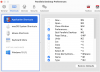
I'm running Parallels 12 mac with Windows 10 and copy and paste is not working. I went more options and sync from either OS is selected (tried both ways with just Mac OS - neither work). Share mac clipboard is checked. Mac copies and pastes to the mac side only and windows copies and pastes to the windows side only - no sharing between the two. I've tried both keyboard shortcuts as well as right clicking copy and paste. Any ideas?

Install the app
How to install the app on iOS
Follow along with the video below to see how to install our site as a web app on your home screen.
Note: This feature may not be available in some browsers.
You are using an out of date browser. It may not display this or other websites correctly.
You should upgrade or use an alternative browser.
You should upgrade or use an alternative browser.
Copy and paste not working on Windows 10
- Thread starter JoshE1
- Start date

Guna@Parallels
Parallels Support
Hi @JoshE1
Please reinstall Parallels Tools and make sure "Isolate Windows from Mac" is unchecked in the Virtual Machine Configuration.
Please reinstall Parallels Tools and make sure "Isolate Windows from Mac" is unchecked in the Virtual Machine Configuration.
Karthik@Parallels
Member
in the keyboard short cut settings in "parallels", you have two separate TABS to set the short cuts, "Windows" virtual machine and the other one is "Application Short cuts". Disable the shortcuts you have maintained in "Application Short cuts" and keep those only in the "Windows" virtual machine.